How to enable notifications
Notifications let you know when an artist posts something new, when there's activity in chat, or when something important happens. Kollekt will ask you to turn them on after you first join an artist's space.
1. Look for the banner.
After joining, a banner appears at the bottom of your home screen: "Enable notifications to stay up to date."
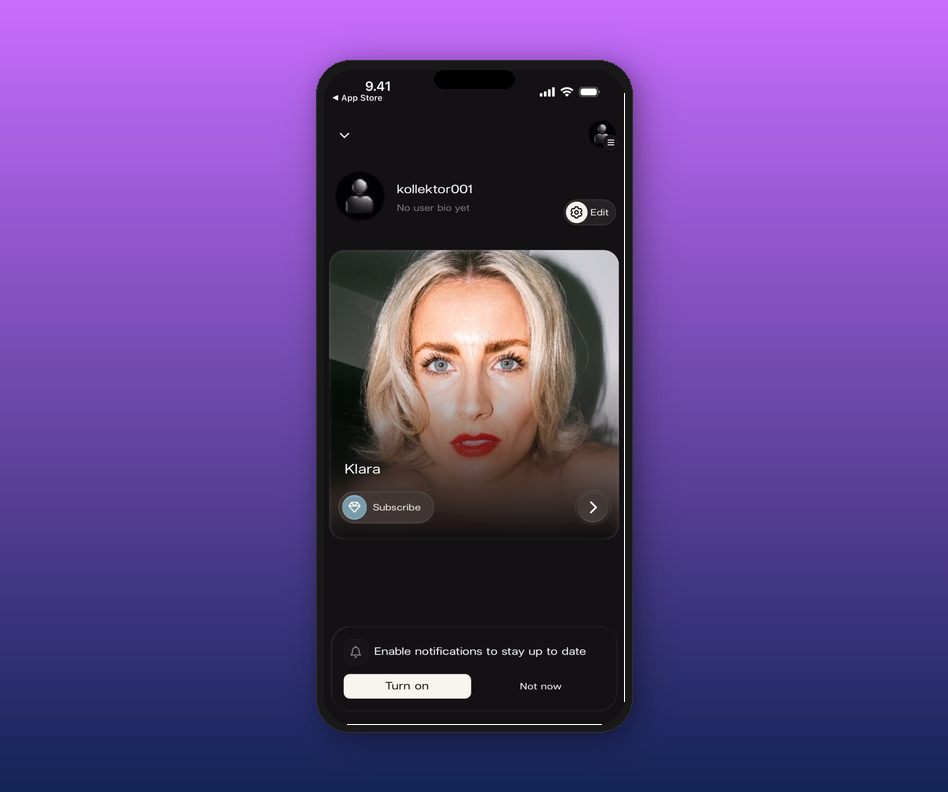
2. Tap Turn on.
Your phone will ask for permission to send notifications. Tap Allow and you're set.
Tapped Not now? The banner will come back next time you open the app. If you tapped Don't Allow on the system prompt, you'll need to enable notifications manually in your phone's Settings under Kollekt.
Related articles
How to join an artist's page
How to set up your profile
How do I access the chat?
Updated on: 16/04/2026