How to set up your profile
Your profile is how you show up inside artist communities. It's what other fans and artists see in chat, reactions, and member lists. When you first sign up, Kollekt gives you a temporary username. Here's how to edit it.
1. Tap the Edit button.
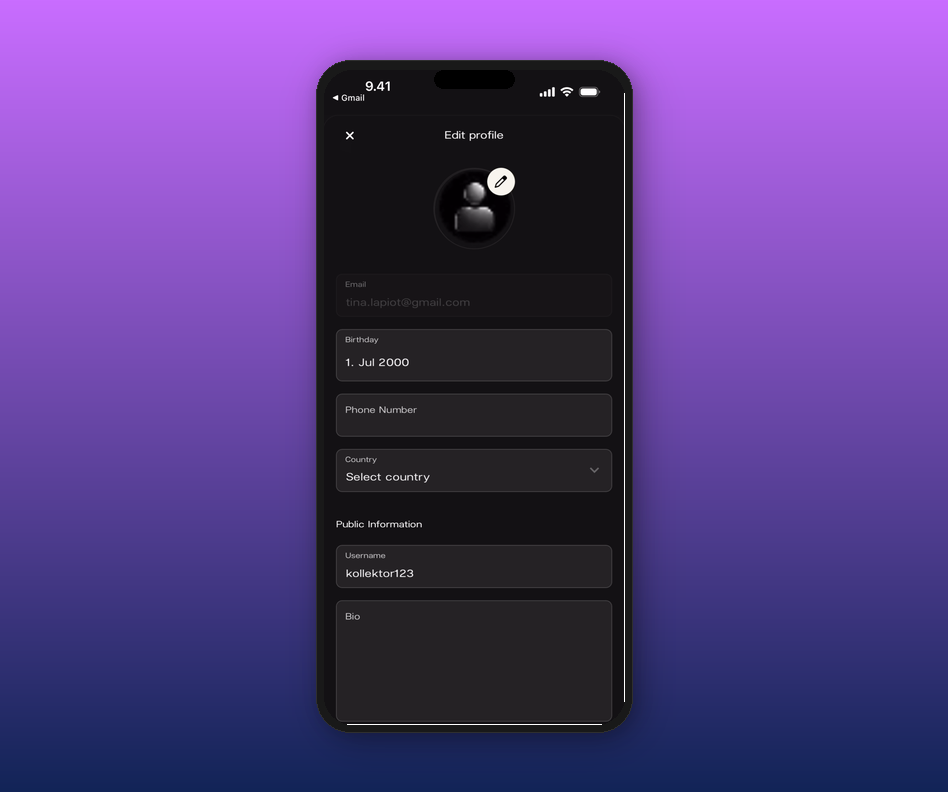
On your home screen, tap the gear icon next to your profile name. This opens the Edit profile page.
2. Set your avatar.
Tap the pencil icon on the profile picture. You can pick a photo from your library, take a new one, or choose a file.
3. Choose a username and add a bio.
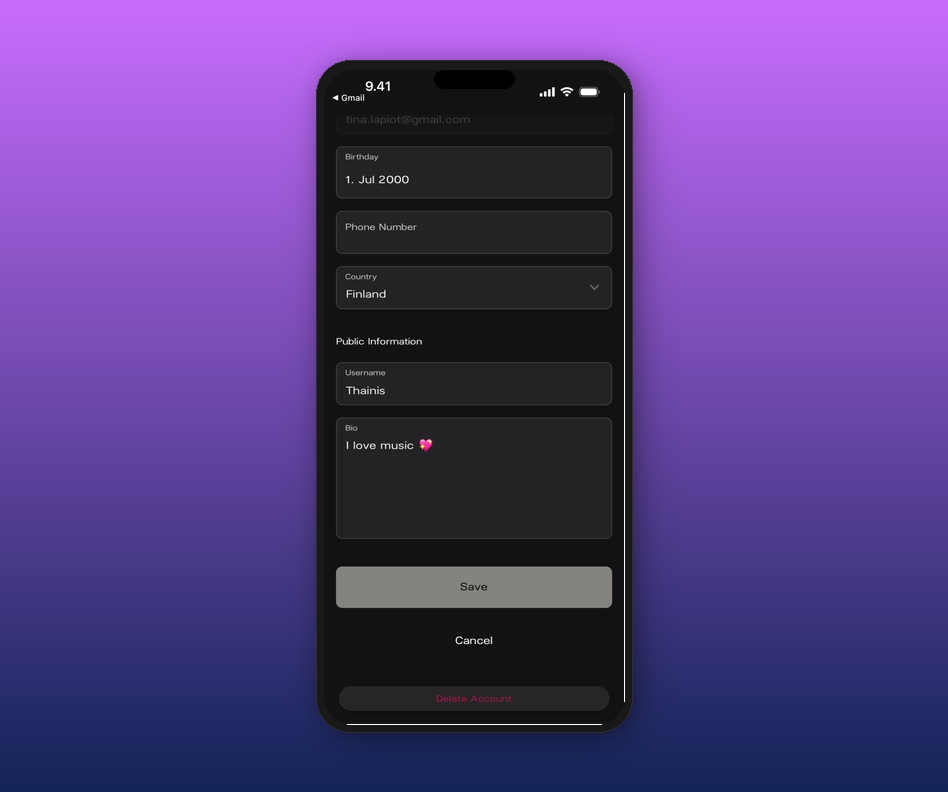
Scroll down to Public Information. Your username is what appears in chat. Your bio shows up when someone taps your name.
4. Save your changes.
Scroll to the bottom and tap Save. You'll see a green confirmation banner.
Related articles
How to join an artist's page
How do I access the chat?
How to find and join more artists
Updated on: 16/04/2026