How to join an artist's chat
To join an artist's chat on Kollekt, you'll need to be on their page first. Chat is a live group conversation with the artist and other fans. Free to join, open to everyone who follows the artist.
1. Open the artist's page.
From your home screen, tap the artist's card. Or go straight to kollekt.io/artistname in your browser.
2. Tap the Chat tab.
At the bottom of the artist's page, tap Chat. You'll land in the Main Chat feed and can read what everyone's saying, but you won't be able to post yet.
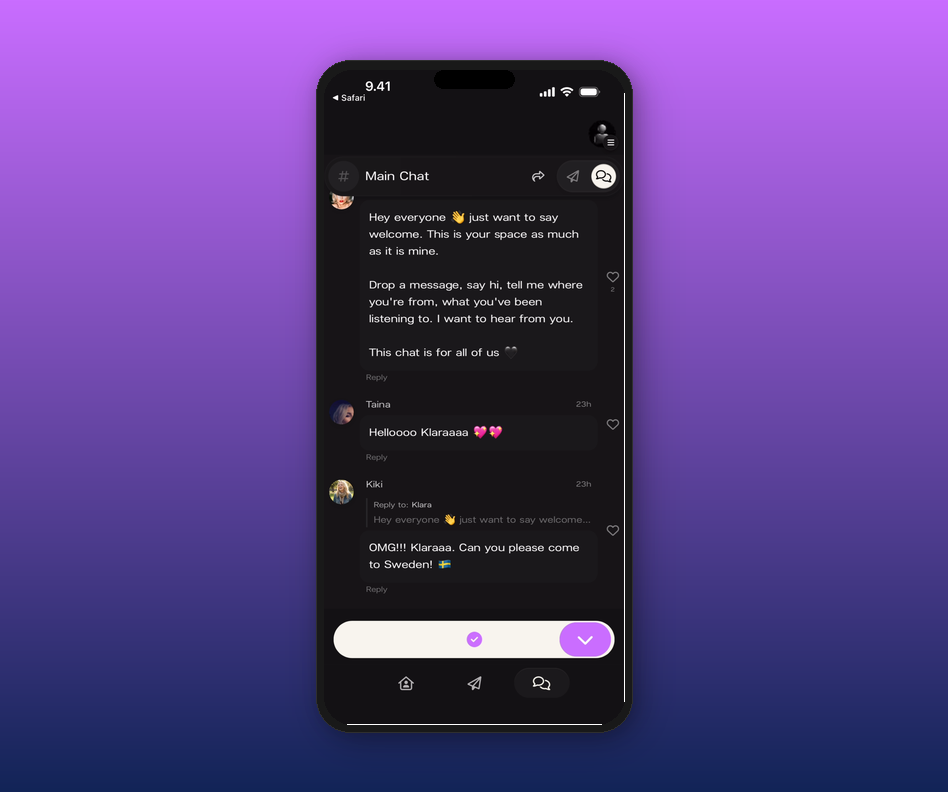
3. Tap the join button.
At the bottom, you'll see a purple checkmark button instead of the message composer. Tap it to join.
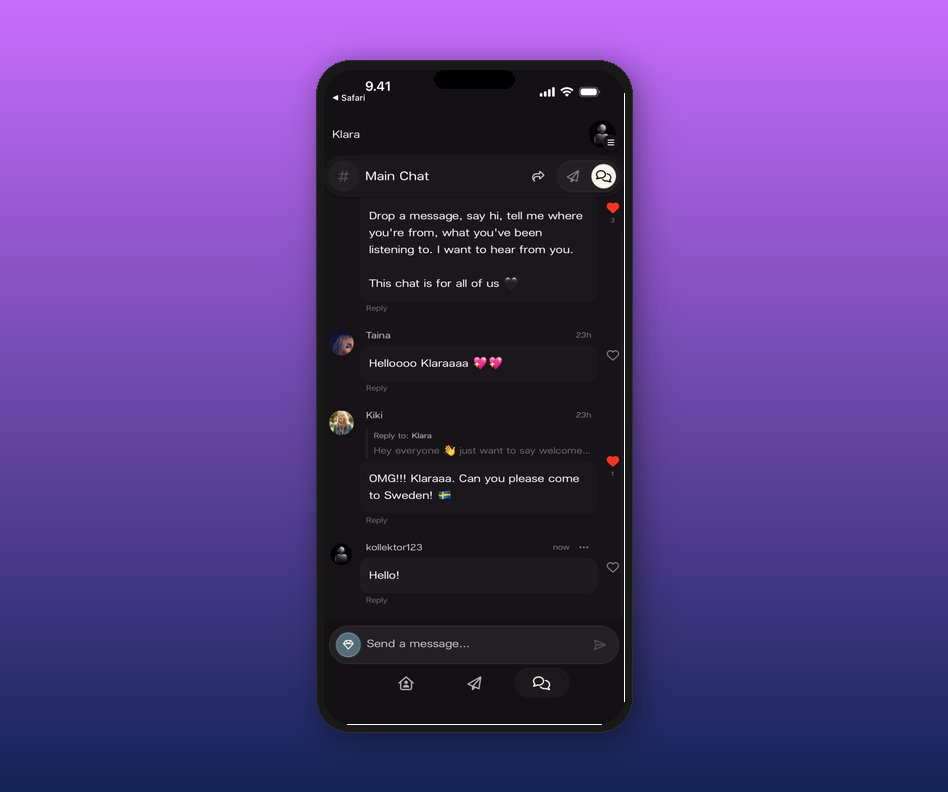
4. You're in.
The message composer appears at the bottom and you can start posting. Your name and avatar show up on every message.
Related articles
How to send a message in chat
How do I access the chat?
Can I message artists or other fans directly?
How to join an artist's page
Updated on: 17/04/2026