How do I delete my account?
You can delete your Kollekt account yourself from your profile. It takes a minute and you confirm it by typing your email.
Before you start
If you pay for a subscription, cancel it first while you can still sign in: open the menu and tap Subscriptions. See How do I manage or cancel my subscription?
Delete your account
1. Open Edit profile
Open the menu with your picture at the top right, tap your username, then tap the gear at the top right of your profile.
2. Tap Delete account
Scroll to the bottom of Edit profile and tap Delete account, under Save and Cancel.
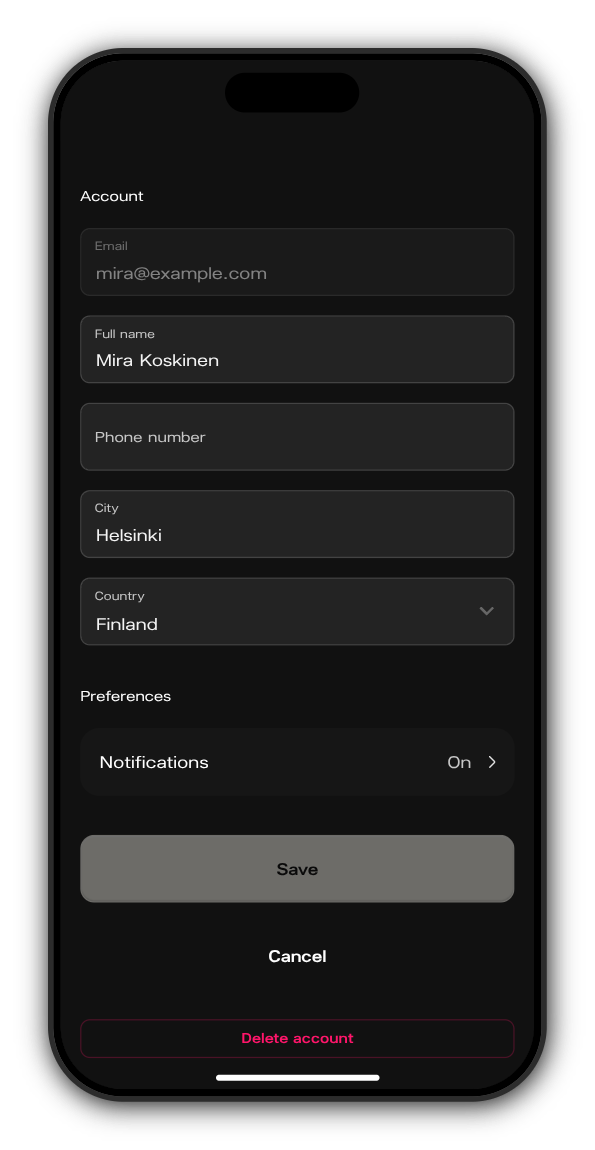
3. Type your email to confirm
Type the email address you sign in with, as shown on the screen. The Delete account button only works once it matches.
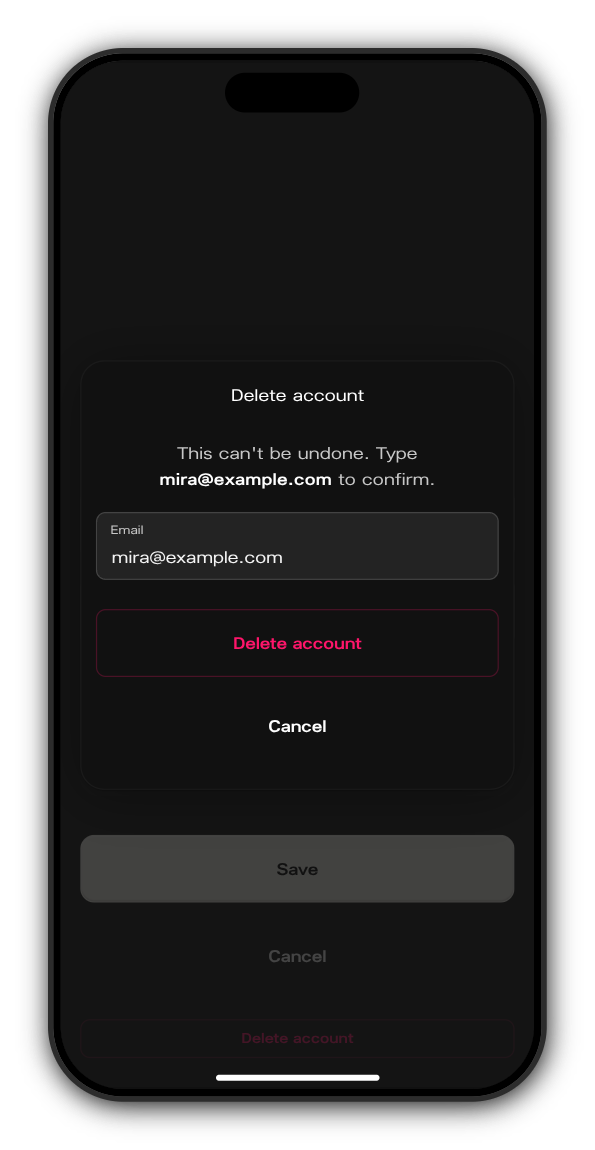
4. Tap Delete account
Your account is deleted and you're signed out.
What happens to your data
Your account is closed, your messages and reactions in chats are deleted, and so are the records of the devices you signed in on. Some records are kept for a set time where the law asks for it, such as payment records. See How does Kollekt use my data?
Updated on: 22/10/2026
Thank you!