How do I manage or cancel my subscription?
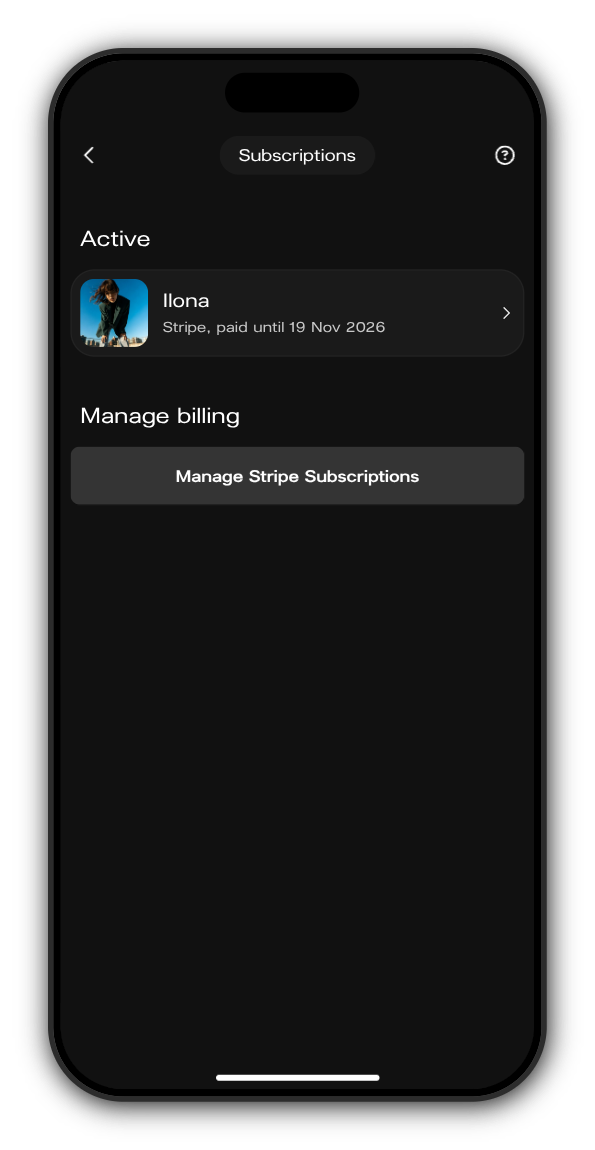
Everything you subscribe to is on your Subscriptions page. Where you cancel depends on where you paid: in your browser and on Android through Stripe, in the iPhone app through Apple.
See your subscriptions
1. Open Subscriptions
On your phone, tap your picture at the top right to open the menu, then tap Subscriptions. On a computer, it's in the menu on the left.
2. Check what you pay for
Each artist you subscribe to has a row that says how you paid and until when, for example "Stripe, paid until 19 Nov 2026". A subscription someone gave you says Gift, with the date it ends or lifetime. Tap a row to open that artist's Kollekt.
Cancel or change it
Paid in your browser or on Android
Tap Manage Stripe Subscriptions. A secure Stripe page opens, where you can cancel or update your card and billing details.
Paid in the iPhone app
Tap Manage Apple Subscriptions in the iPhone app to open Apple's subscription settings. You can also open iPhone Settings, tap your name, then Subscriptions, pick the subscription and tap Cancel Subscription.
Subscribe again
Changed your mind? You can subscribe again any time from the artist's Kollekt. Ending a subscription never ends your membership: you stay a member of the artist's Kollekt either way.
Updated on: 19/10/2026
Thank you!