How do I edit my profile?
Your profile holds your picture, username and bio, plus a few details for the artists you join. You can change them any time from your profile.
Edit your profile
1. Open your profile
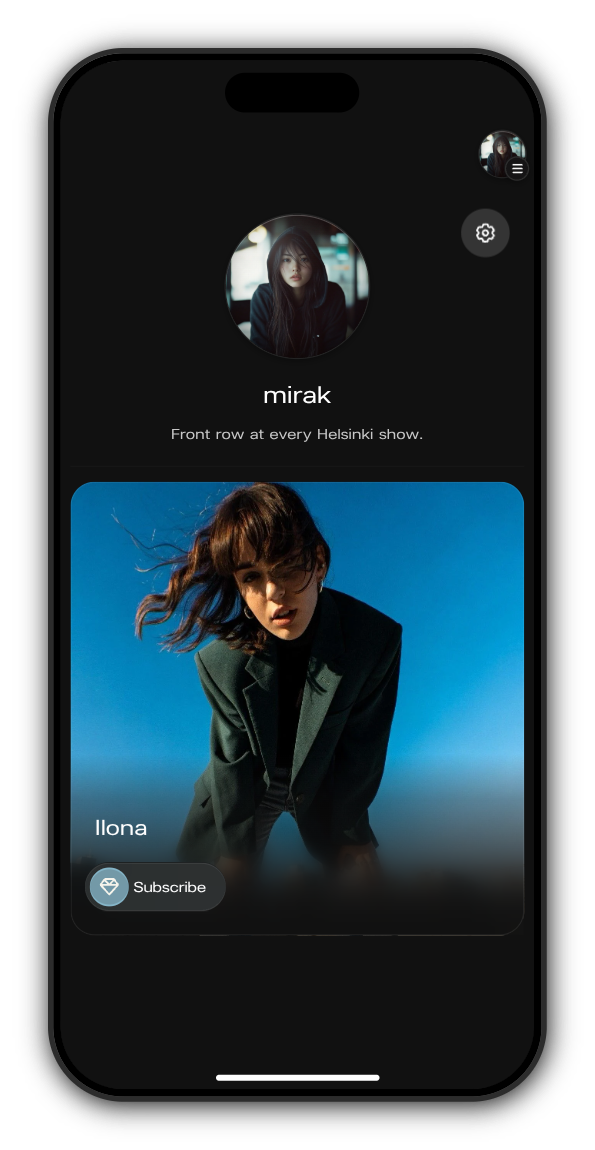
Open the menu with your picture at the top right and tap your username.
2. Tap the gear
The gear at the top right of your profile opens Edit profile.
3. Make your changes
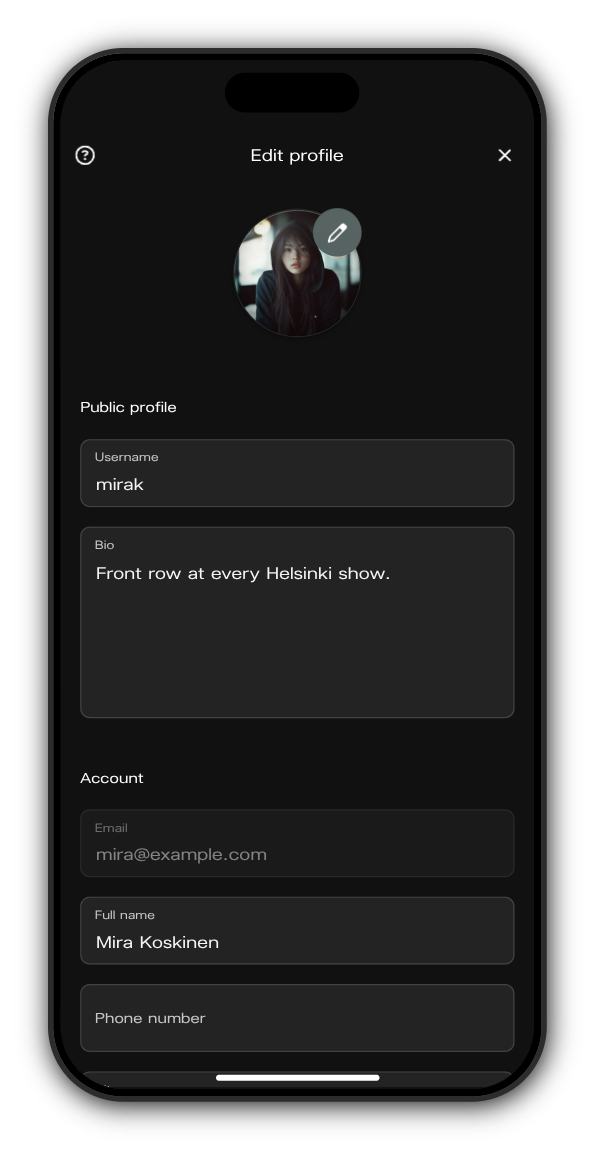
Tap the pen on your picture to choose a new one. Change your Username and Bio under Public profile, and your Full name, Phone number, City and Country under Account.
4. Tap Save
Save is at the bottom of the form and works once you've changed something. Your profile updates straight away.
In an artist's earnings split? You set up payouts here too, under Payouts. See How do I set up payouts?
Who sees what
- Picture, username and bio are shown to other members and artists.
- Full name, phone number, city and country are hidden from other members. The artist's team can use them to tailor offers.
Username rules
A username is 3 to 30 letters and numbers, with no spaces, dots or hyphens. If someone already has it, you'll see This username is already taken. A bio can be up to 150 characters.
Related: Can I change my email address?
Updated on: 23/10/2026
Thank you!