How do I set up payouts?
Payouts send what you earn on Kollekt to your bank account. You set them up once, in your own profile, and they're paid out every month after that.
Set up payouts
1. Open Edit profile
Open the menu, tap your username at the top, then tap the gear on your profile.
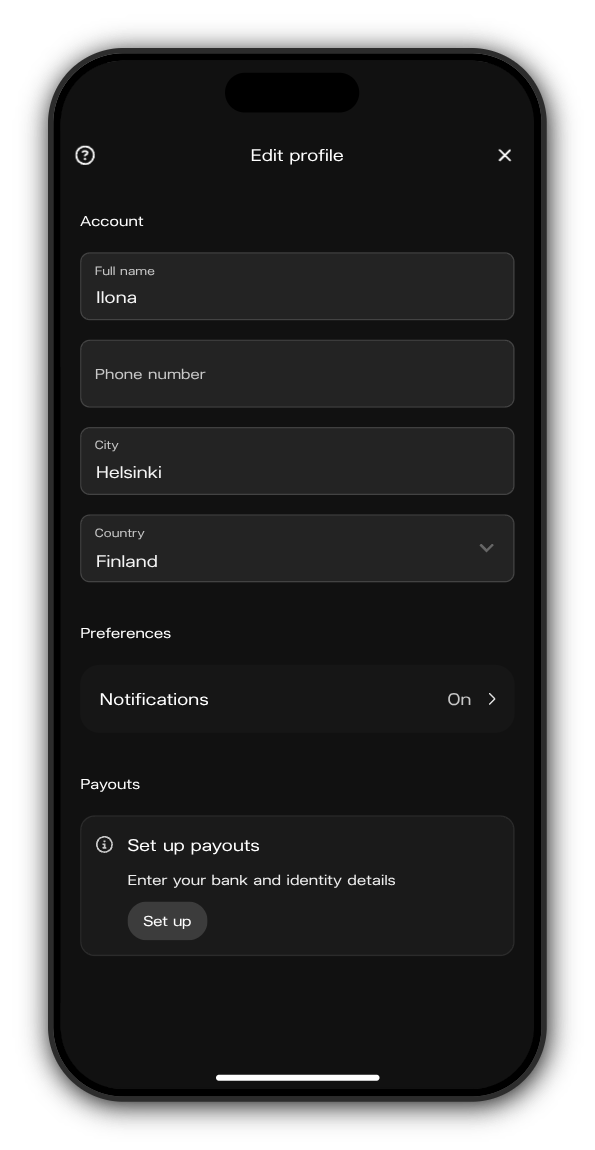
2. Tap Set up
Scroll down to Payouts and tap Set up next to Set up payouts.
3. Enter your bank details
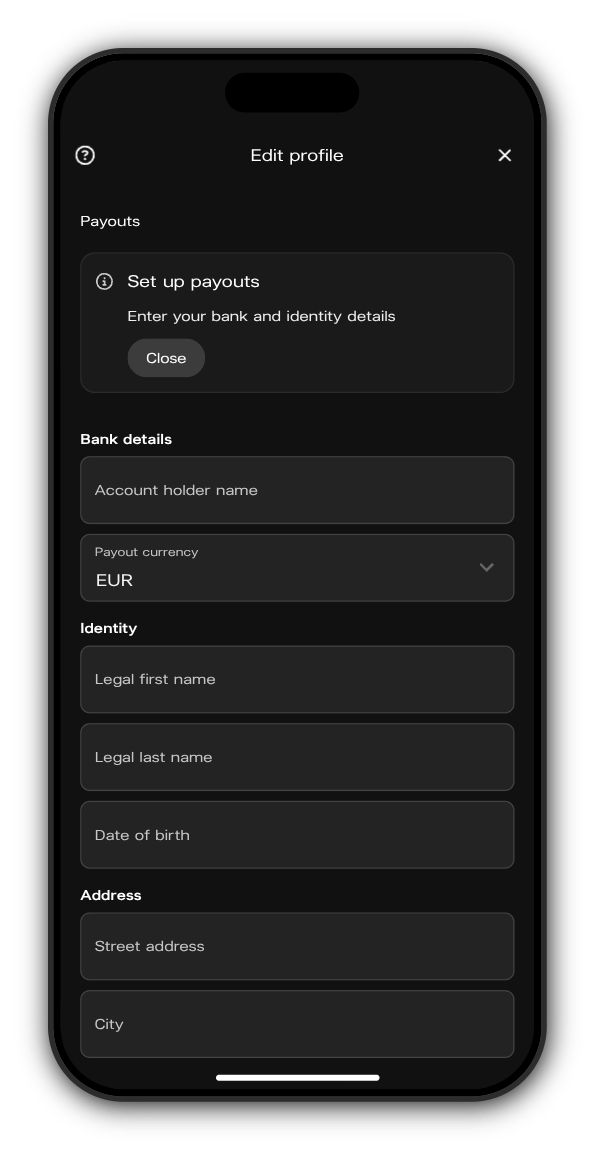
Add the account holder name and choose your Payout currency. The bank fields that follow depend on the currency you pick.
4. Add your identity, address and tax details
Fill in your legal name, date of birth, address and tax identification number (TIN). A VAT ID is optional.
5. Tap Save payout details
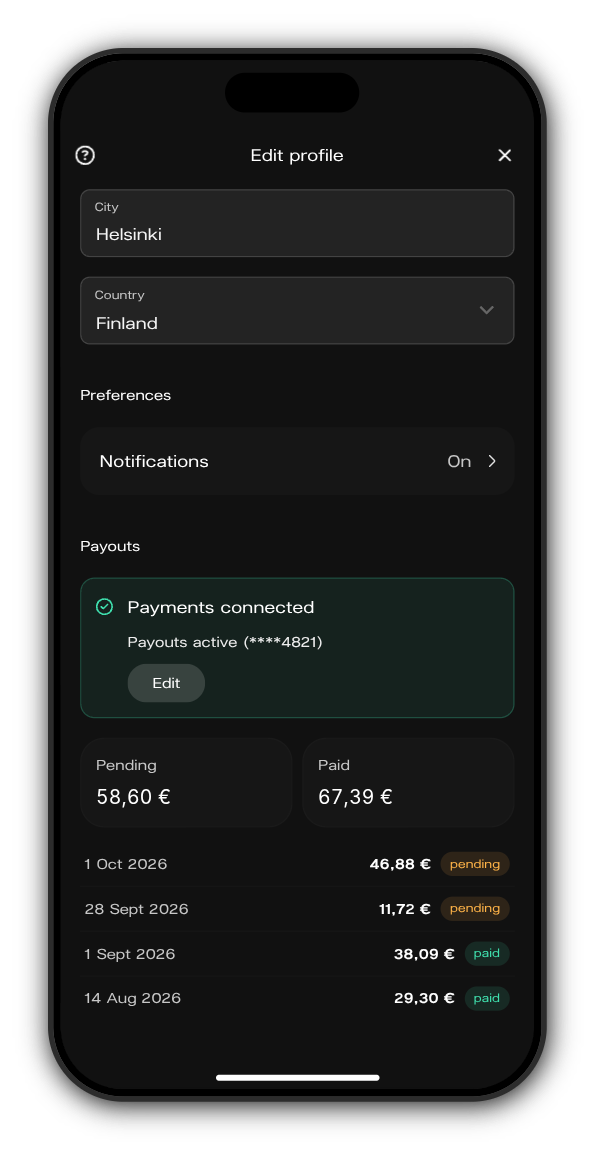
When your details are saved, the section reads Payments connected with the last four digits of your account.
Follow your payouts
Under Payments connected you see what's Pending, waiting for the next payout, and what's already Paid, with a line for each payment. To change your bank details later, tap Edit.
Related: Where's my payout?
Updated on: 23/10/2026
Thank you!