How do I send photos and videos in chat?
Subscribers can send photos, videos and audio in the artist's chats. Tap + next to the message box, pick what to add and send.
Send a photo or video
1. Tap +
The attachments open above the message box.
2. Choose Camera, Media or Audio
Camera takes a new photo or video, Media picks from your photos, Audio adds an audio file. In the app your phone's own picker opens.
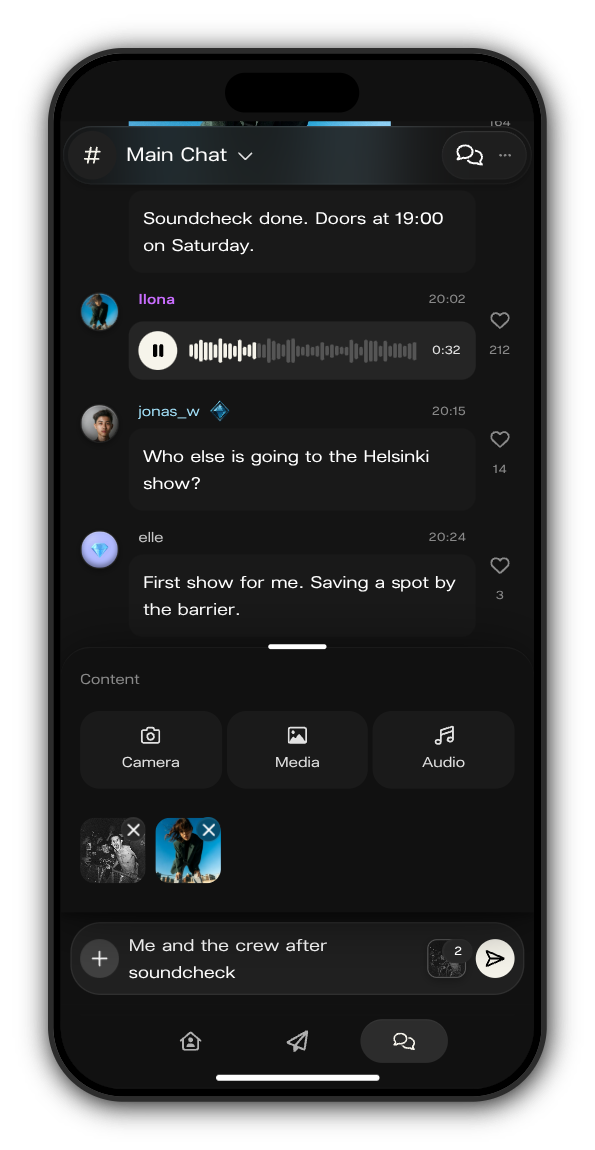
3. Check what you added
What you picked shows in the attachments. Tap the cross on one to take it out. Add a few words in the message box if you like.
4. Send
Tap the send button. You'll see how far the upload is. Videos show in the chat once they're ready to play.
Limits
- Up to 5 files in one message.
- One audio file per message, as MP3, M4A or OGG.
Not a subscriber?
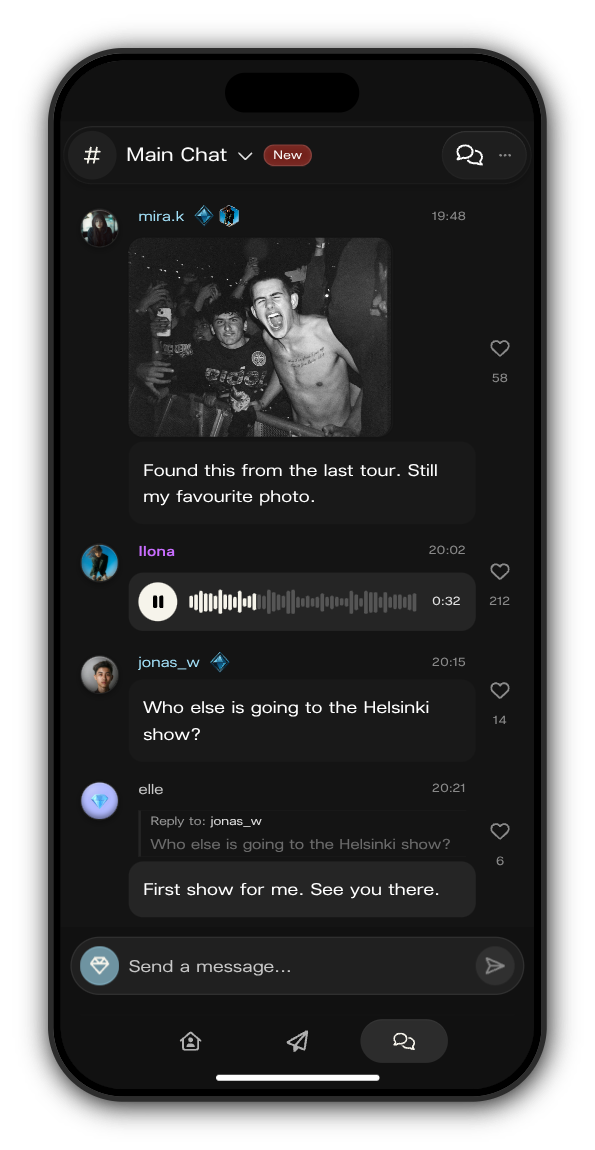
You can still write messages, heart them and reply. Where the + would be, there's a blue gem: tap it to subscribe and photos and videos open up for you.
Updated on: 19/10/2026
Thank you!