How do I chat with other members?
Tap Chats in the tab bar to open Main Chat, the artist's chat for all members. Type in Send a message... and send. Everyone in the chat sees it straight away.
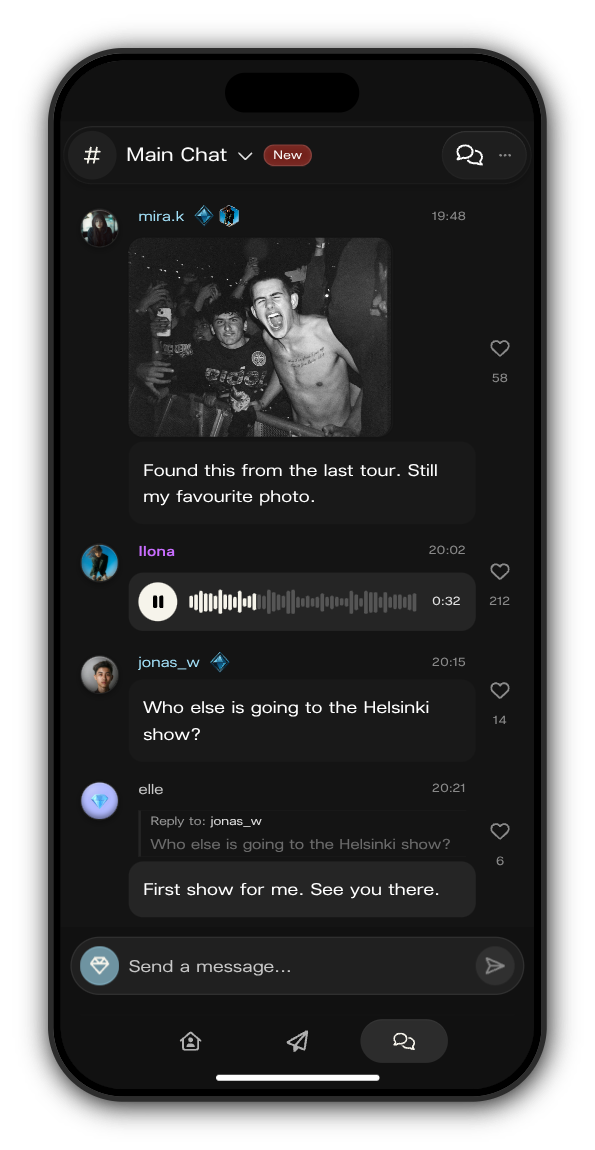
Send a message
1. Write it
Tap Send a message... and type. A message can be up to 500 characters.
2. Send it
Tap the send button. With a keyboard, press Enter to send and Shift+Enter for a new line.
Reply to someone
1. Hold the message
Press and hold a message until the menu opens. With a mouse, right-click it or use the ⋯ beside it.
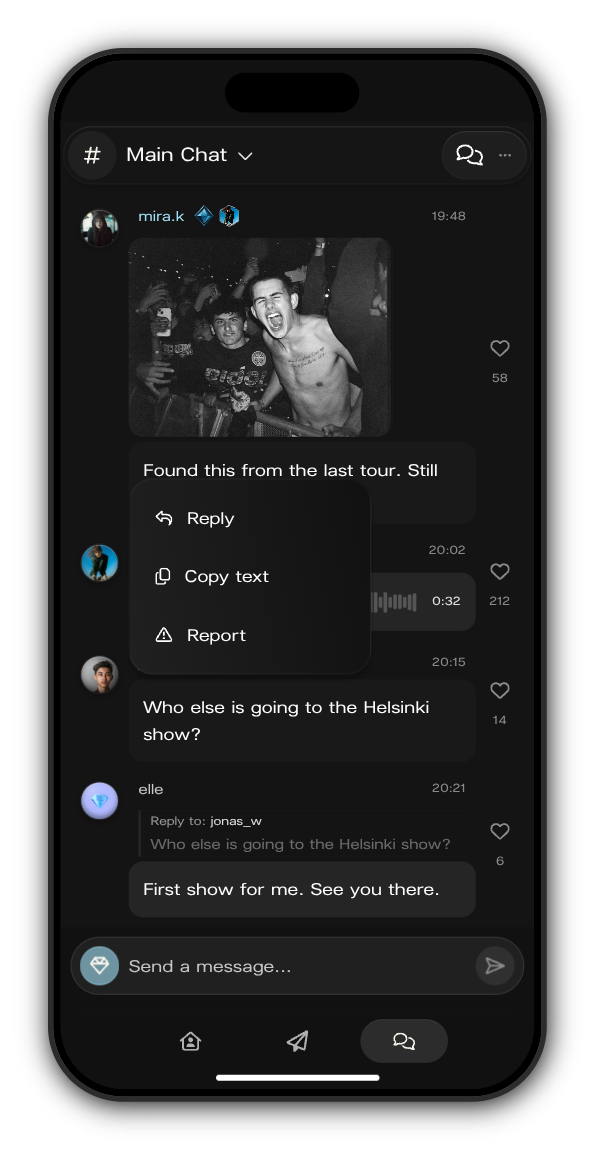
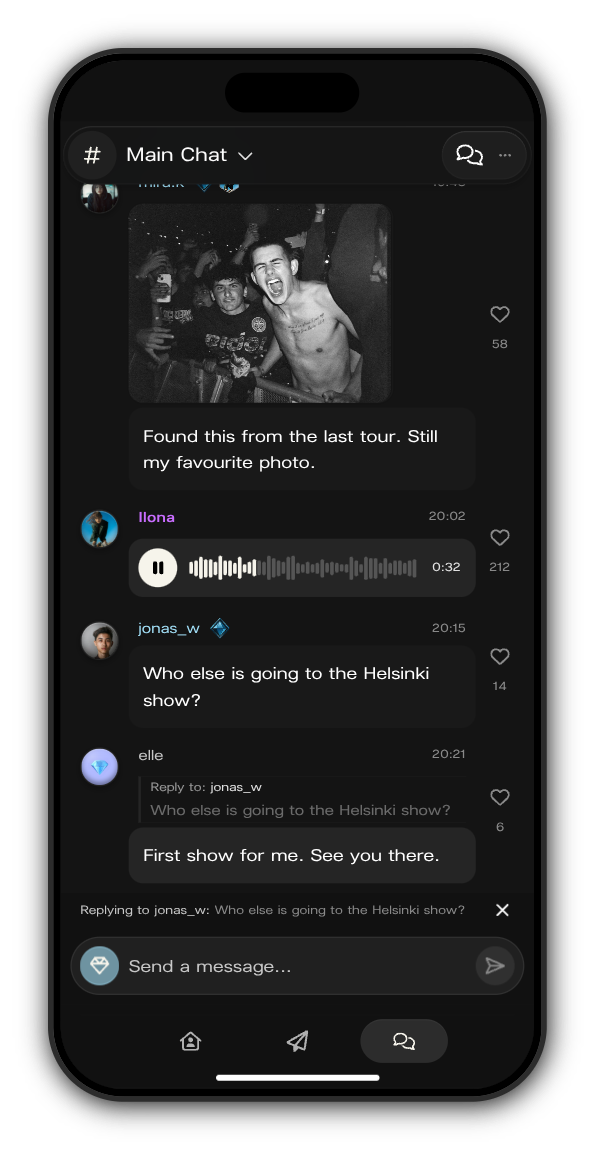
2. Tap Reply
Replying to shows above the message box with the message you're answering. Write your reply and send it, or tap the cross to cancel.
Heart and get to know people
- Tap the heart next to any message to heart it. Tap again to take it back.
- Tap someone's picture to see their profile: their badges, their Member # and Subscriber #, and when they were last seen. You can also gift them a subscription from there.
Related: Why can't I write in this chat?
Updated on: 23/10/2026
Thank you!