How do I find more artists?
Search for any artist by name in the menu. If they're on Kollekt, their Kollekt opens and you can join with one slide.
Search for an artist
1. Open the menu
Tap your picture at the top right. The artists you've already joined are listed under Artists, so you can jump between them.
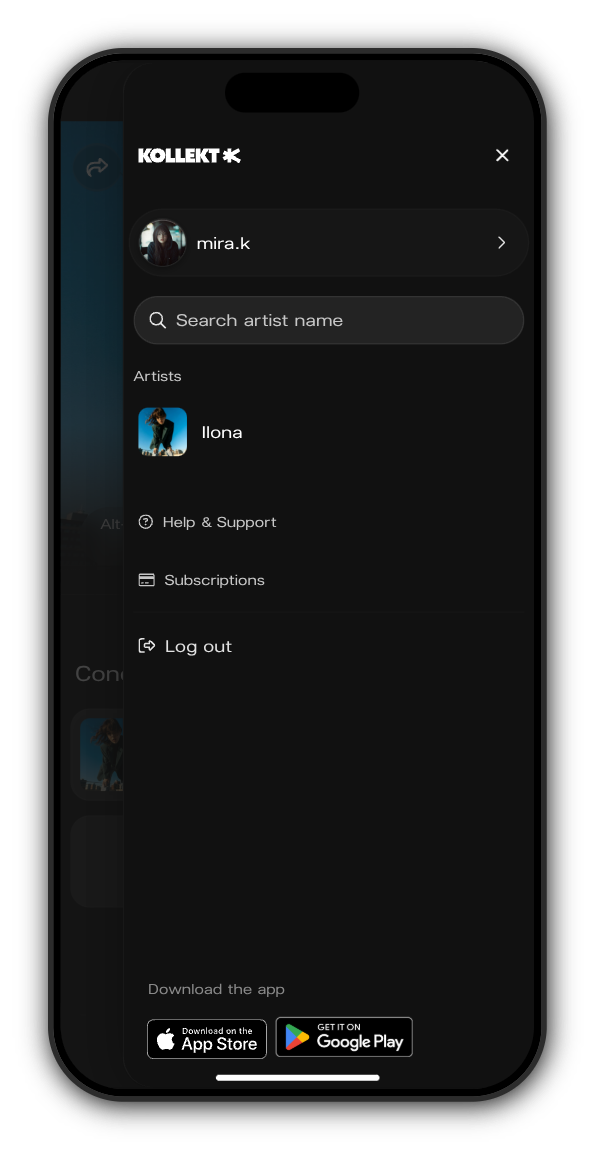
2. Search artist name
Type the artist's name in Search artist name. A tick next to a name means it's the artist's verified Kollekt.
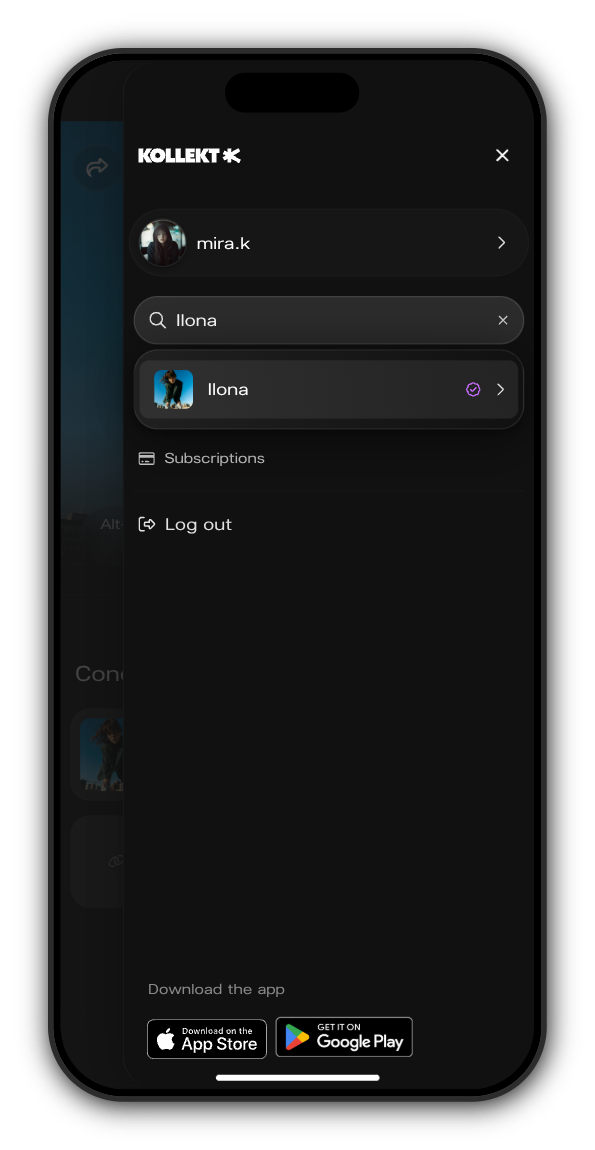
3. Open their Kollekt and join
Tap the artist to open their Kollekt, then slide Slide to Join.
If the artist isn't on Kollekt yet
You can still pick them from the results. Their Kollekt opens marked Not on Kollekt yet. Tap Join to get notified and you'll hear when they arrive.
Updated on: 23/10/2026
Thank you!