How do I share an artist with friends?
Share an artist's Kollekt with your own link, straight from the artist's Home. When someone opens your link and later subscribes or gets a drop, they count as your referral.
How to share
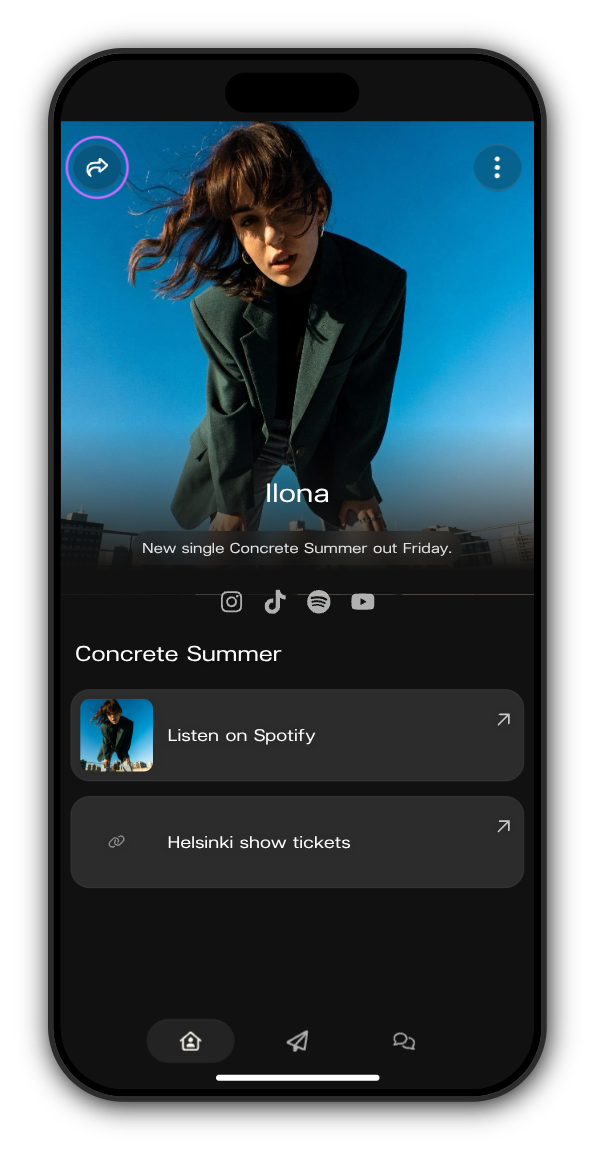
1. Tap the share button on the artist's Home
It's the round arrow in the top left corner of the artist's picture.
2. Choose where the link goes
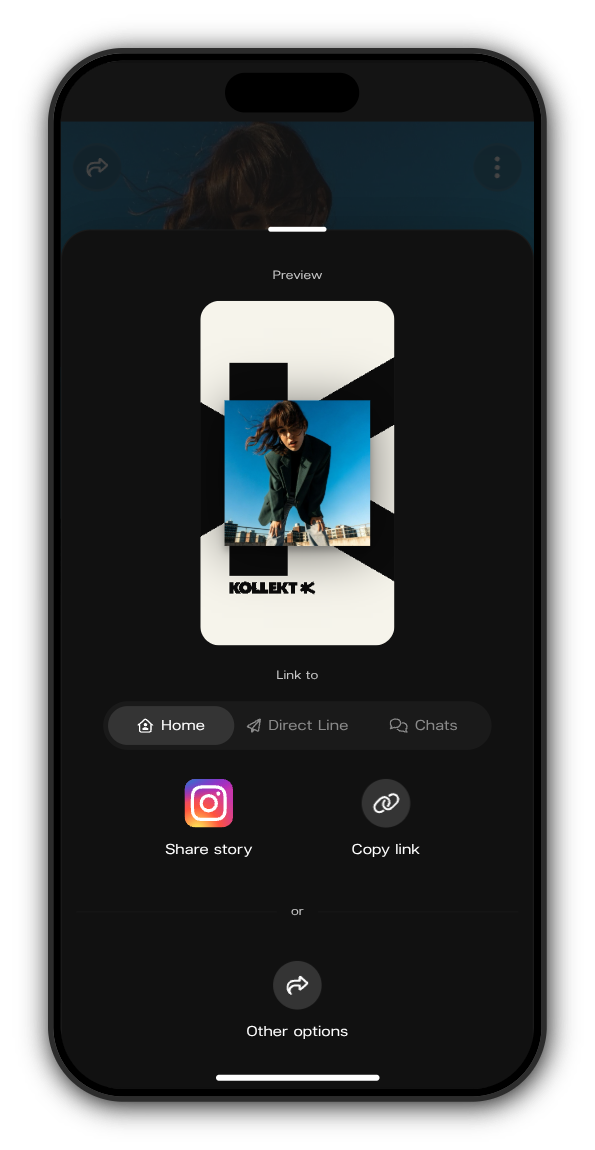
Under Link to (shown when the artist has chats), pick Home, Direct Line or Chats. The preview shows the story picture people will see.
3. Share it
- Share story opens Instagram with the artist's picture as a story, ready to post.
- Copy link copies your link so you can paste it anywhere.
- Other options opens your phone's own share menu, for messages and other apps.
When a referral counts
The link you share is tied to your account. A friend who opens it counts as your referral once they first get a subscription or a drop from that artist.
- Their phone or browser remembers your link for 30 days.
- Your own purchases never count as a referral.
Referrals show on the artist's leaderboard under Referrals, and they count the most in your Overall place.
Updated on: 23/10/2026
Thank you!