How do badges and member numbers work?
Every member of an artist's Kollekt has a member number that shows how much they take part. Subscribers also get a diamond badge beside their name and a subscriber number that shows how early they backed the artist.
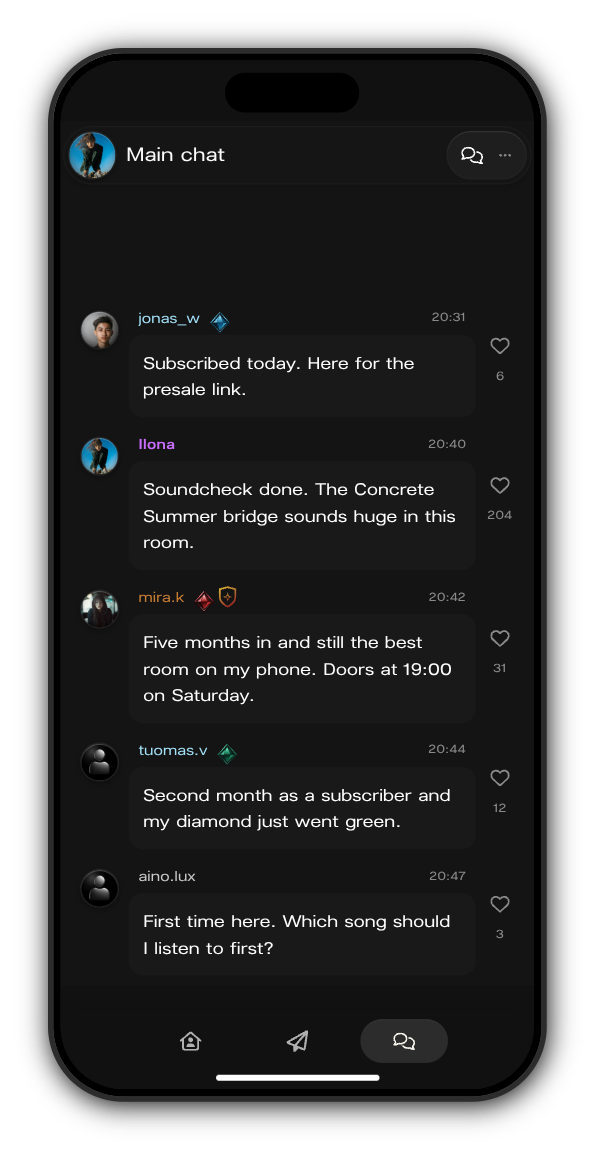
The badges beside a name
In the artist's chats, a name can carry these marks:
- Diamond: the subscriber badge. Its colours deepen the longer you stay subscribed: blue in your first month, green in your second, red from your third month on.
- Day One badge: some artists give it to their earliest members, either the first ones to join or everyone who joined before a date the artist chooses.
- Bronze shield: a moderator in the artist's team.
- The artist's own badge: some artists give a badge to a group of members.
See someone's numbers
1. Tap a name in a chat
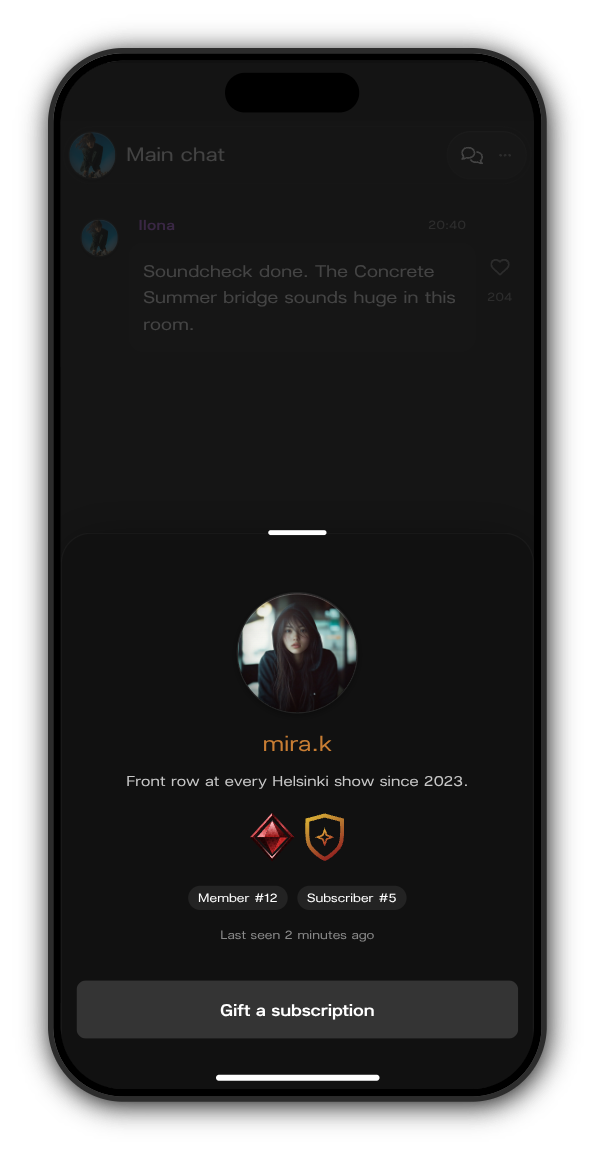
Tap the name of the member who wrote the message. Their profile opens from the bottom of the screen.
2. Read their badges and numbers
Under their bio you see their badges, then two numbers:
- Member # is their place among all of the artist's members, by how they take part: messages, reactions, votes, people they brought in, time, spending and streaks. It moves as people take part.
- Subscriber # is the order they subscribed in. Subscriber #5 was the fifth to subscribe.
See your own
Open the menu and tap your name at the top. Each artist you have joined has a card on your profile. Tap the badges on a card to see each badge on its own, with your Member # and Subscriber # for that artist.
Updated on: 27/10/2026
Thank you!