How do I switch between chats?
In Chats, tap the chat's name at the top of the screen. A list of the artist's other chats opens: tap one to go there.
Switch chats
1. Tap the chat's name
At the top you'll see the chat you're in, like Main Chat. A New label next to it means there are new messages in another chat.
2. Pick a chat
The list shows each chat with a count of new messages and how long ago the latest one came in.
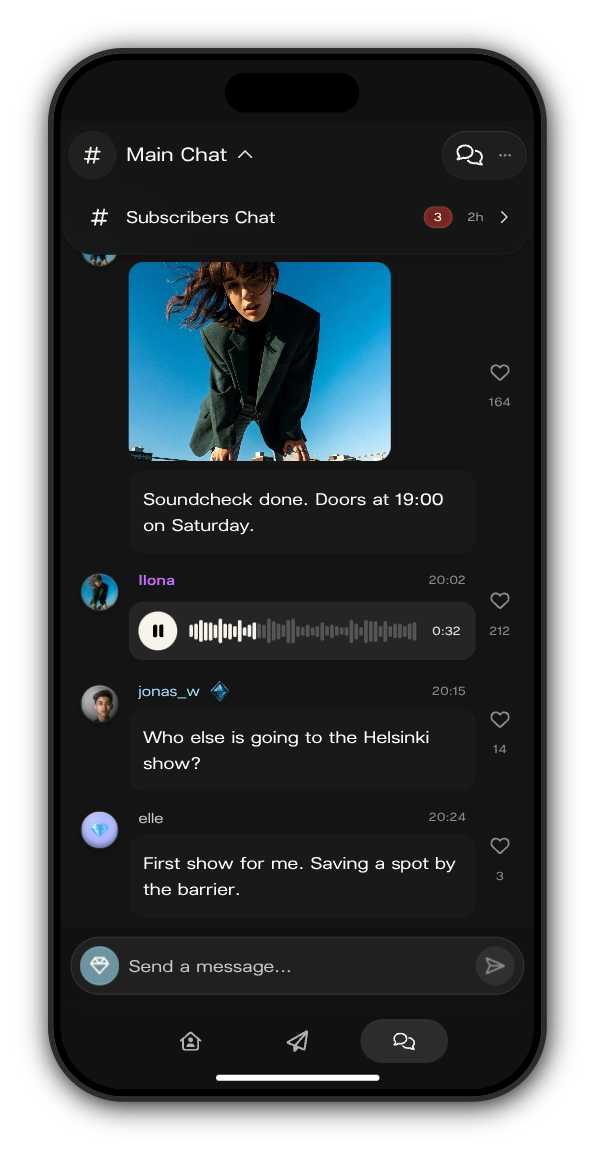
The Subscribers Chat
Every artist has a Subscribers Chat for their subscribers. It shows in your list next to Main Chat once you've subscribed.
Chats for a group
An artist can open a chat for a group of members. It shows in your list only if you're in that group.
Related: Why can't I write in this chat?
Updated on: 23/10/2026
Thank you!