How do I add a poll or a raffle to a post?
You can add a vote or a raffle to any post in one of your drops. Members vote or enter right on the post, until the deadline you set.
Add a vote
1. Create a post
Open your Kollekt in a browser and add /admin to the end of the address (for example app.kollekt.io/ilona/admin). Tap Drops, then Create a new post.
2. Choose Voting
Add the post's media, title and caption. Then tap + next to Add a voting or raffle or link and pick Voting.
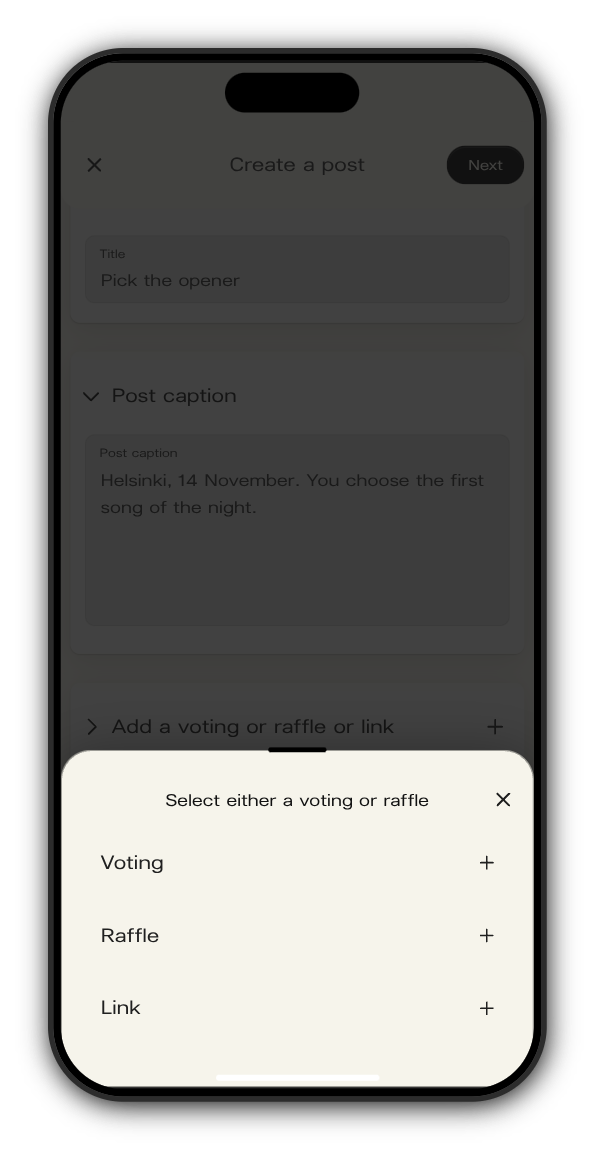
3. Add the question, options and deadline
Give the vote a title and type each option. Tap + under the options to add another. Set the Deadline for when voting closes.
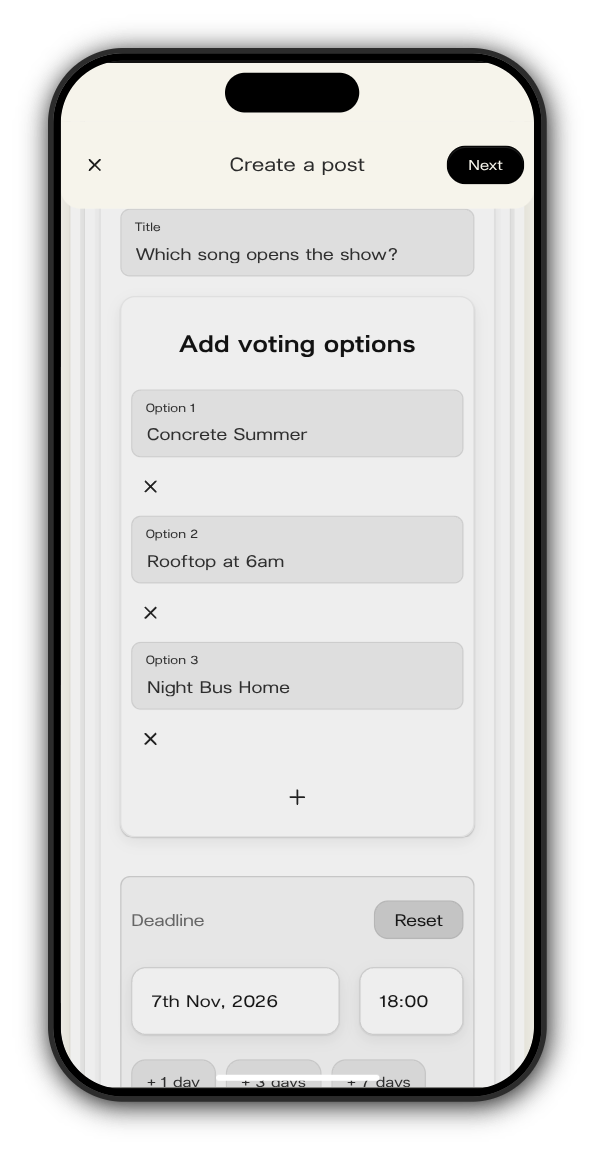
4. Choose the drop and publish
Tap Next, pick the drop under Feed location and tap Publish.
Members pick an option and tap Vote. After voting they see how the vote stands, and once the deadline passes the post shows the result.
Add a raffle
Pick Raffle in step 2 instead. Give it a title, set the Deadline and choose the number of winners, up to 20. Members tap Join to enter, and the button turns to You are in!. Entries close at the deadline.
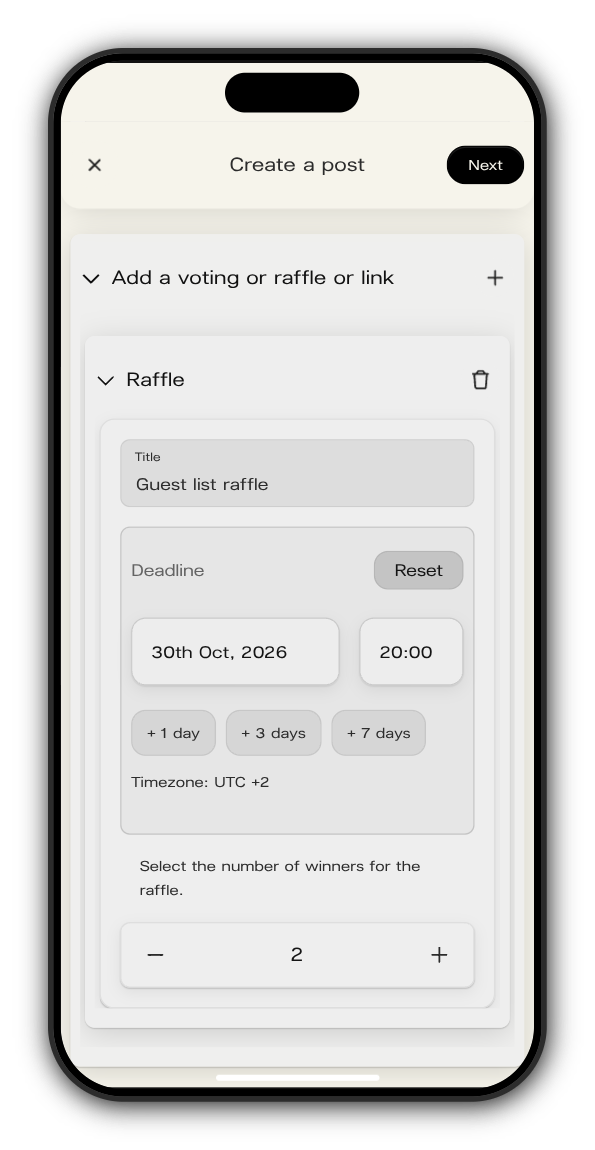
Updated on: 19/10/2026
Thank you!