How do I use slow mode?
Slow mode sets how long each member waits between messages in a chat. It keeps a busy chat readable, for example on the night of a new drop or right after a show.
Turn on slow mode
1. Open Moderation
In the chat, tap the menu at the top right, then Moderation.
2. Find the chat under Slow mode
Every chat in the artist's Kollekt has its own row, so you can slow one down and leave the others as they are.
3. Choose a wait
Pick 5s, 10s, 30s, 1m or 5m. It takes effect straight away.
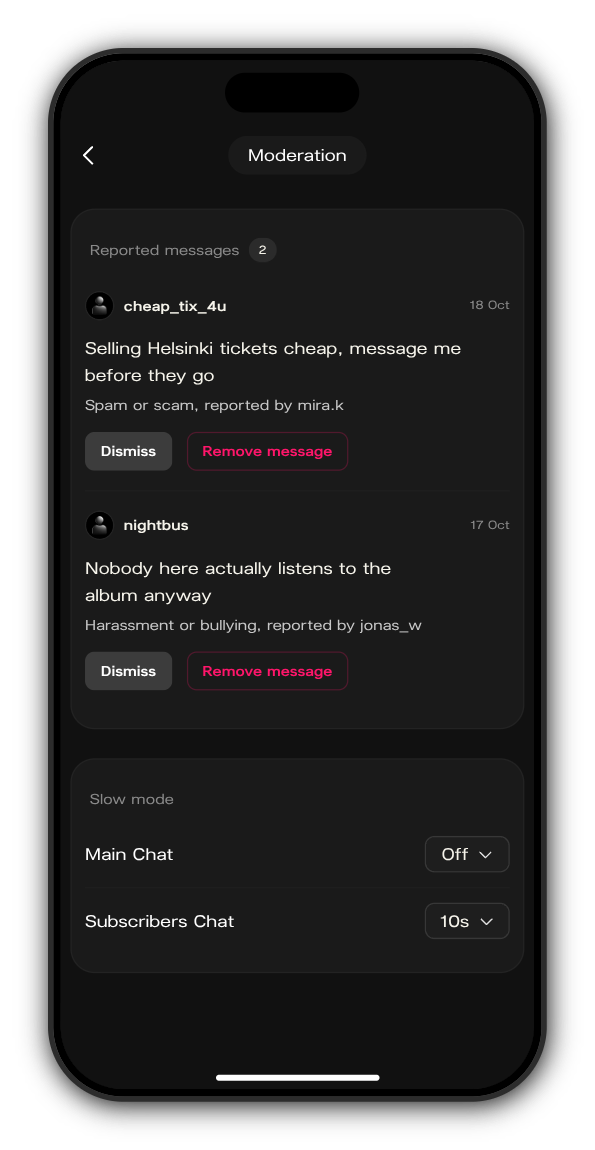
Turn it off
Choose Off for that chat on the same screen.
Updated on: 23/10/2026
Thank you!