How do I connect Claude to my Kollekt?
Connect Claude to your Kollekt and ask it about your members, chats and earnings in your own words, like "How many people joined last month?" Claude can only read your data. It can't post, change or delete anything.
Connect Claude
1. Open Integrations
Tap your picture at the top right to open the menu, then tap Integrations.
2. Tap Generate link
Your connector link appears once. Tap Copy right away, because it isn't shown again.
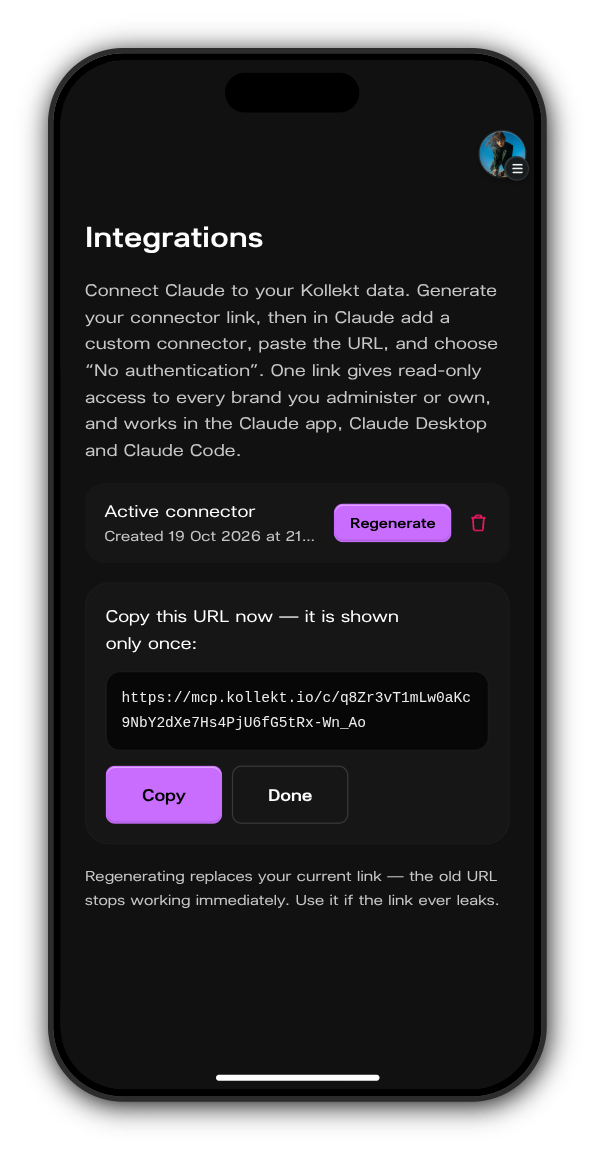
3. Add it in Claude
In Claude, add a custom connector, paste the link and choose No authentication.
What Claude can read
Claude reads the data of every artist's Kollekt you own or are an admin of, and nothing else: your chats and messages, your members and leaderboard, your stats, earnings, subscribers and payouts. Everything it does is read-only.
Stop Claude's access
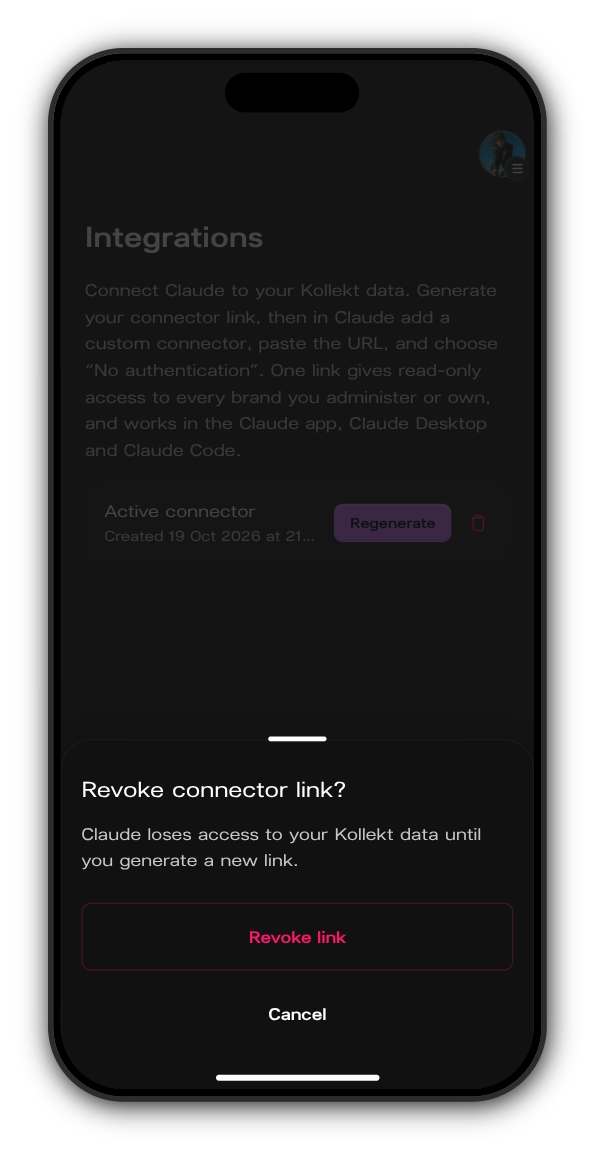
Tap the bin next to Active connector, then Revoke link. Claude loses access at once, until you generate a new link.
Updated on: 23/10/2026
Thank you!