How do I keep a post for subscribers?
Any Direct Line post can be kept for your subscribers, such as a presale link, a demo or a voice note from the studio. Subscribers see it in full. Everyone else sees that it's there, and can subscribe to open it. What you keep for subscribers is always your choice.
Keep a post for subscribers
1. Write your post
Write it in the Direct Line as usual, with photos, a video, a link or a voice note if you like.
2. Tap the gem
Tap the gem next to +. The message box turns blue and reads Send a subscriber message... Tap the gem again to make the post for everyone.
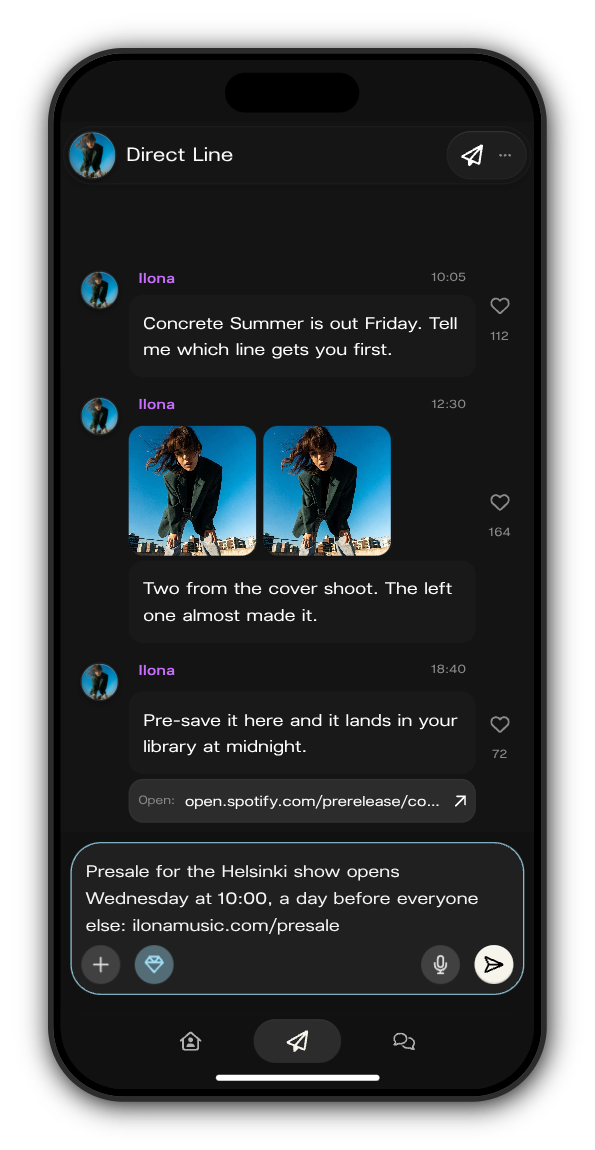
3. Send
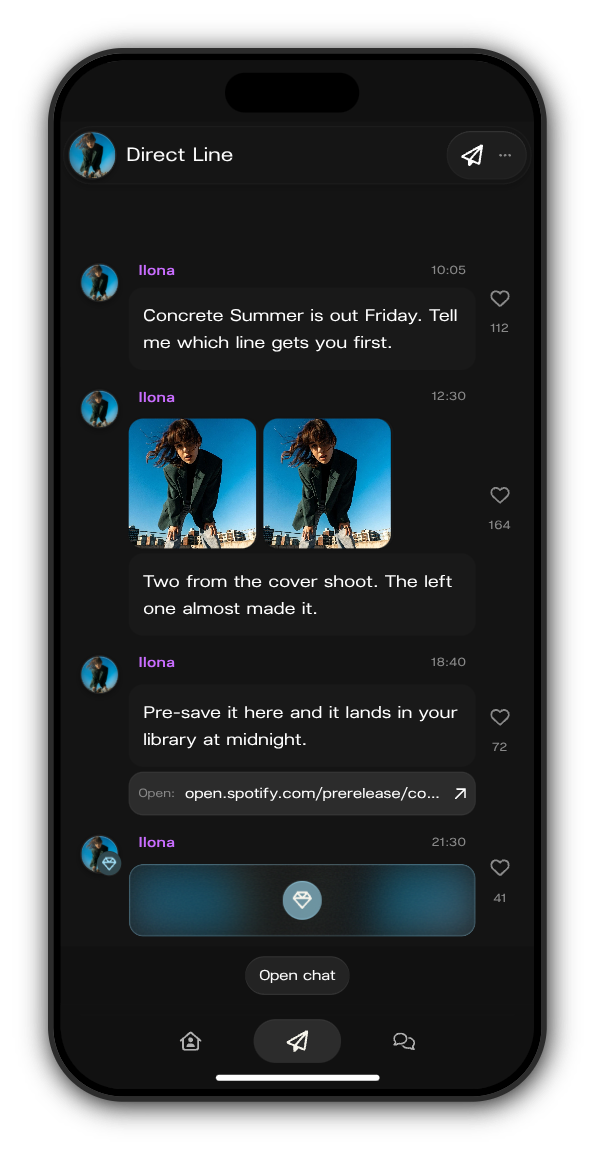
Tap the white arrow. The post goes up on your Direct Line with a blue gem on your picture.
What members see
Subscribers, you and your team | Members without a subscription | |
|---|---|---|
The post on the Direct Line | ✓ | ✓, locked |
Its words, photos, video, link or voice note | ✓ |
A member who hasn't subscribed sees the post locked, with the gem in the middle. Tapping the gem opens the subscribe screen, and once they subscribe the post opens for them.
Updated on: 19/10/2026
Thank you!