How do I create a drop?
A drop brings your posts together around something you're offering: a new single, a demo, a show. You make it as a draft first, and it opens to members when you switch it to live.
Create the drop
1. Open Drops in your admin
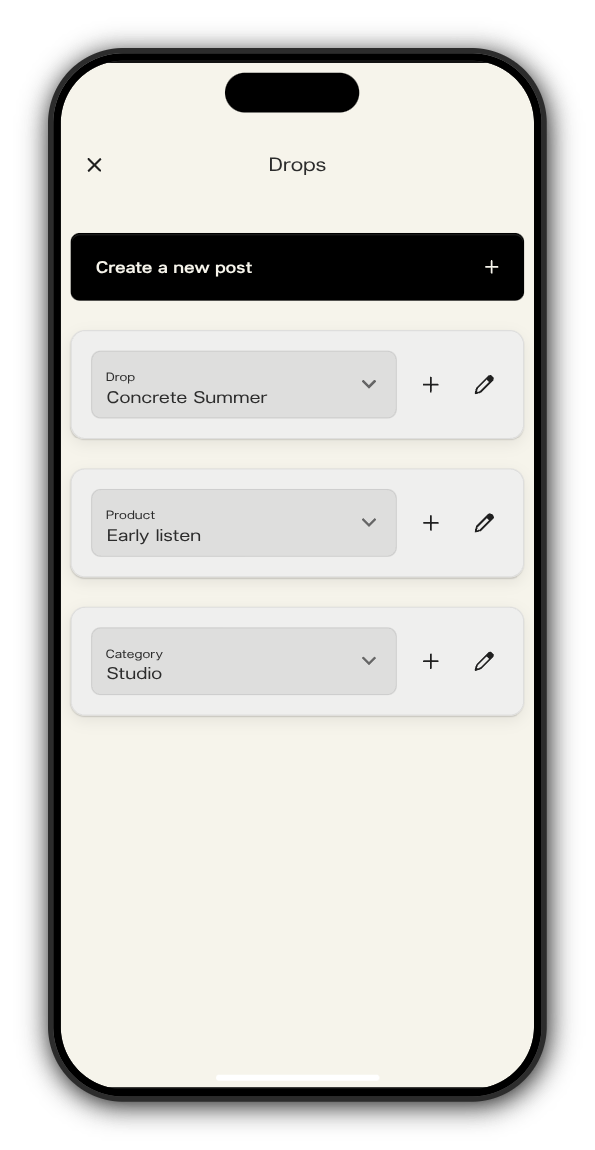
Go to app.kollekt.io/yourname/admin (with your Kollekt's own link) and tap Drops.
2. Tap + next to Drop
The plus beside the Drop picker starts a new drop. The pencil next to it edits the drop that's selected.
3. Fill in the basic info
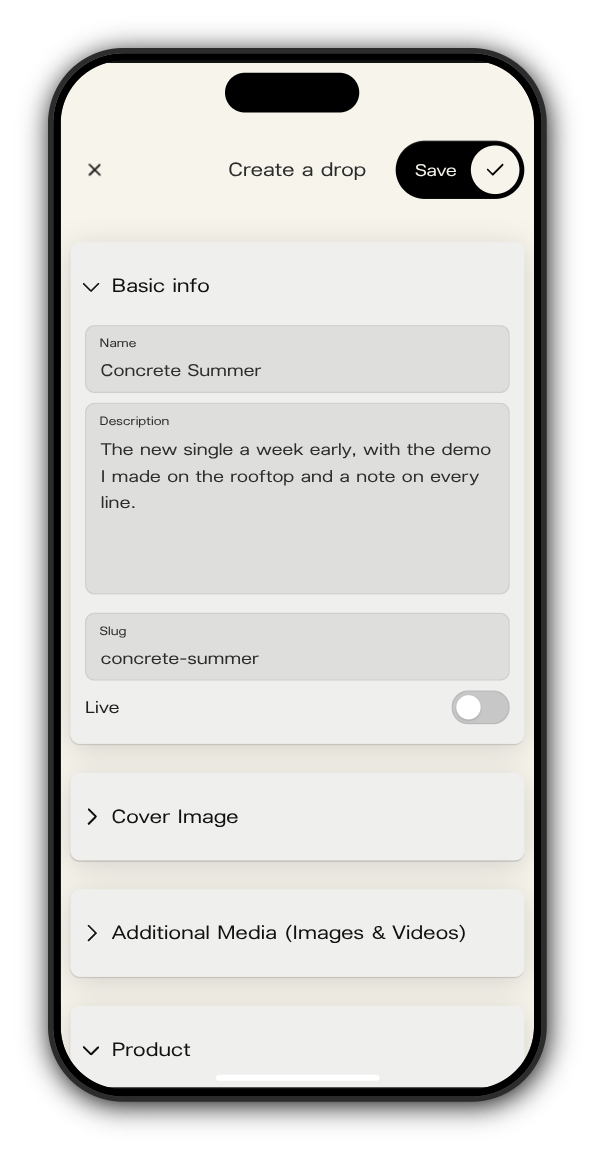
Give it a Name and a Description. The Slug becomes the end of the drop's address, and you can't change it once the drop is saved.
4. Add a cover and media
Under Cover Image, add the picture members see first. Under Additional Media, add up to 8 images or videos (PNG, JPG or MP4).
5. Pick its product
If the drop is for sale, choose its product under Product. The product holds the price, so create it first with the + next to Product on the Drops screen.
6. Leave Live off and tap Save
With Live off, the drop is a draft: only your team can see it.
Make it live
When it's ready, open Drops, select the drop and tap the pencil. Switch Live on and tap Save. The drop now shows in the Drops tab of your Kollekt for everyone.
Related: How do I edit or hide a drop?
Updated on: 23/10/2026
Thank you!