How do I add admins and moderators?
Your team runs your Kollekt with you. Give someone a role and they can help with posts, drops and chats, or keep the chats safe, without sharing your account.
What each role can do
Owner | Admin | Moderator | |
|---|---|---|---|
Remove messages and time members out | ✓ | ✓ | ✓ |
Get the team's own chat | ✓ | ✓ | ✓ |
See the moderation audit log | ✓ | ✓ | |
Manage the profile, posts, drops, products, chats, groups and gifts | ✓ | ✓ | |
Post as the artist on the Direct Line and in chats | ✓ | ✓ | |
See the stats and the member list, and export members | ✓ | ✓ | |
Add and remove admins and moderators | ✓ | ✓ | |
Manage payments and revenue splits | ✓ |
Anyone in the earnings split sets up payouts for their own bank account in their own profile.
Add someone
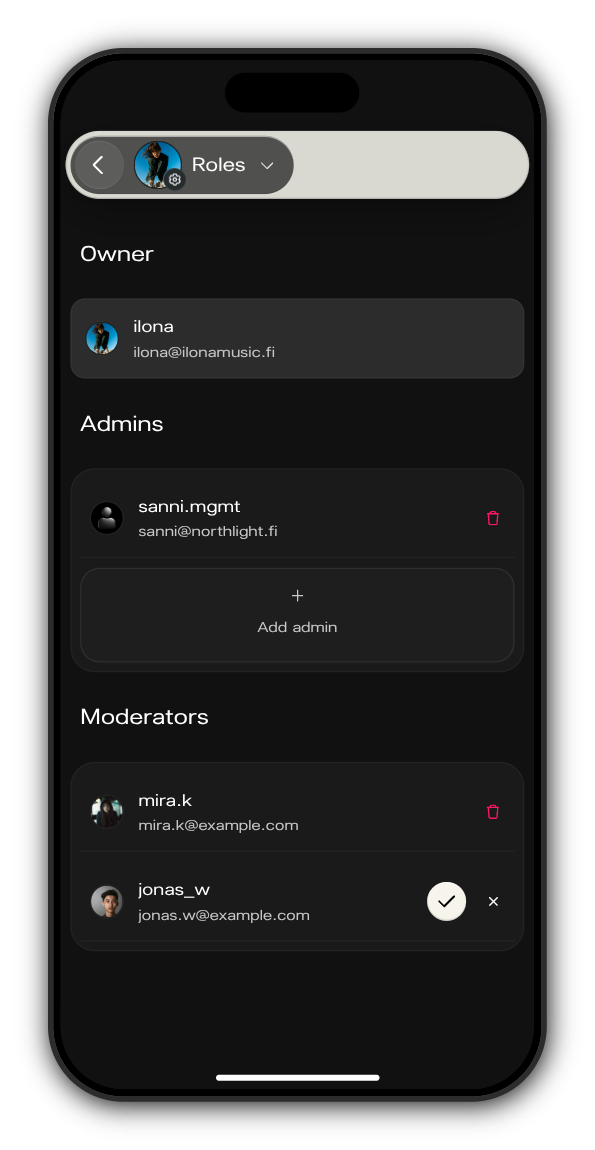
1. Open Roles
In your Kollekt, tap your picture with the gear in the tab bar, then Roles.
2. Tap Add admin or Add moderator
Each role has its own list with its own button.
3. Find them and confirm
Search by username or email, pick the person, then tap the tick. They're added straight away.
Remove someone
On Roles, tap the bin next to their name and confirm with Remove admin or Remove moderator. They stay a member of your Kollekt, without the role.
Updated on: 23/10/2026
Thank you!