How do I claim my Kollekt?
Your Kollekt can be there before you are: people can find it and join the list of those waiting for you. Claiming it takes a minute. You send one Instagram message from your official account, and Kollekt makes you the owner.
Before you claim
Until it's claimed, your Kollekt says Not on Kollekt yet and its chats are closed. Visitors can tap Join to get notified, and the card shows how many are already on the list.
How to claim
1. Find your Kollekt
At app.kollekt.io, search for your artist name and pick yourself from the results. If your Kollekt isn't there yet, picking your name creates it.
2. Tap Claim page
You'll find it at the top left of your Kollekt.
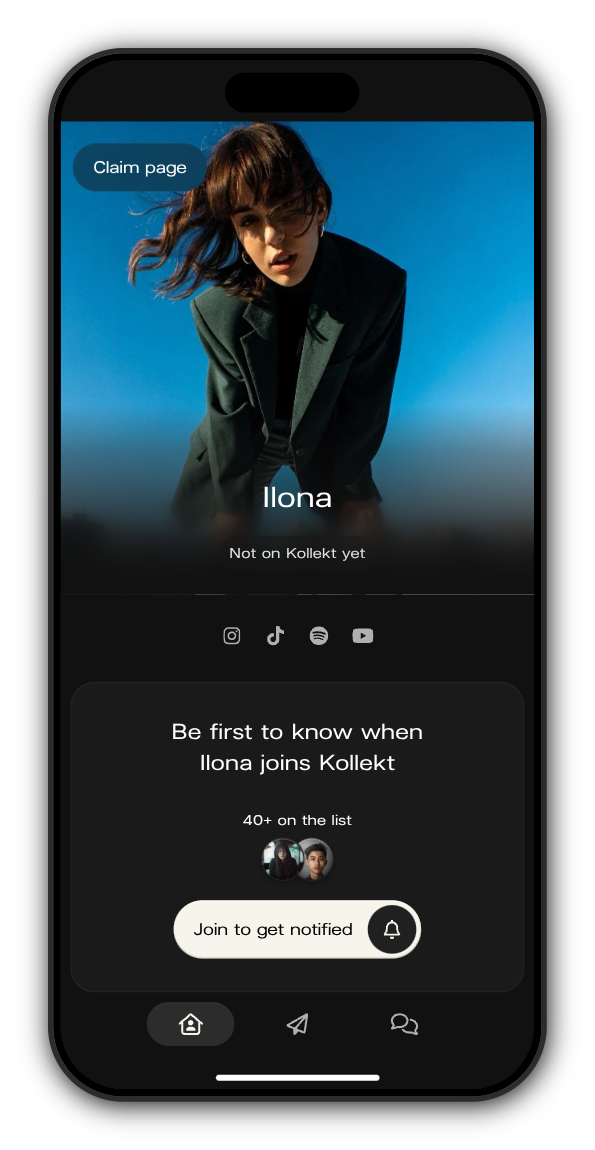
3. Copy Verify and open Instagram
Tap Copy Verify, then Open Instagram. It takes you to Kollekt's Instagram account, @kollekt.io.
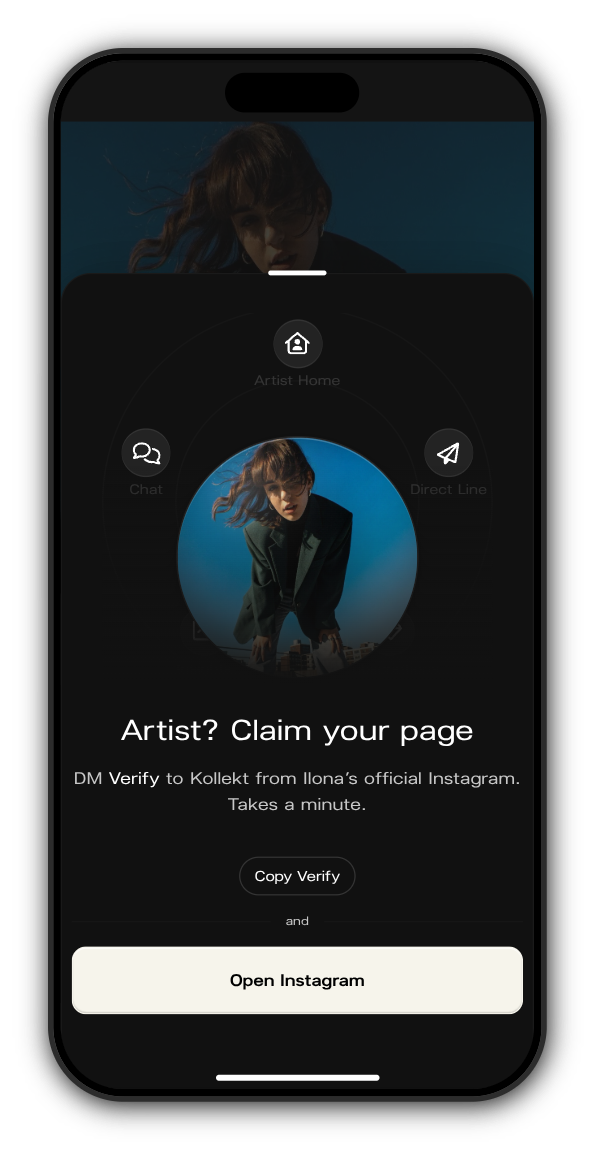
4. Send Verify from your official account
Send the message Verify to @kollekt.io from your artist's official Instagram account. When the reply asks, give the email address you want to sign in with.
5. Open the sign-in link
Once your Kollekt is verified, the Instagram reply tells you so and we email you a sign-in link. Tap it and you're in, as the owner of your Kollekt. There's no password to remember.
If something goes wrong
- The reply says it couldn't find your artist profile: search for yourself at app.kollekt.io first (step 1), then send Verify again.
- The reply says the page is already verified: your Kollekt has already been claimed. Ask its owner or an admin to add you to the team, or write to support@kollekt.io.
Updated on: 23/10/2026
Thank you!