How do I give someone a subscription?
You can give another member a subscription to the artist whose chat you're both in. You pay once, it doesn't renew, and it starts as soon as you pay.
How to give a subscription
1. Open their profile
In the chat, tap the member's picture or name. Their profile opens.
2. Tap Gift a subscription
The button is under their name.
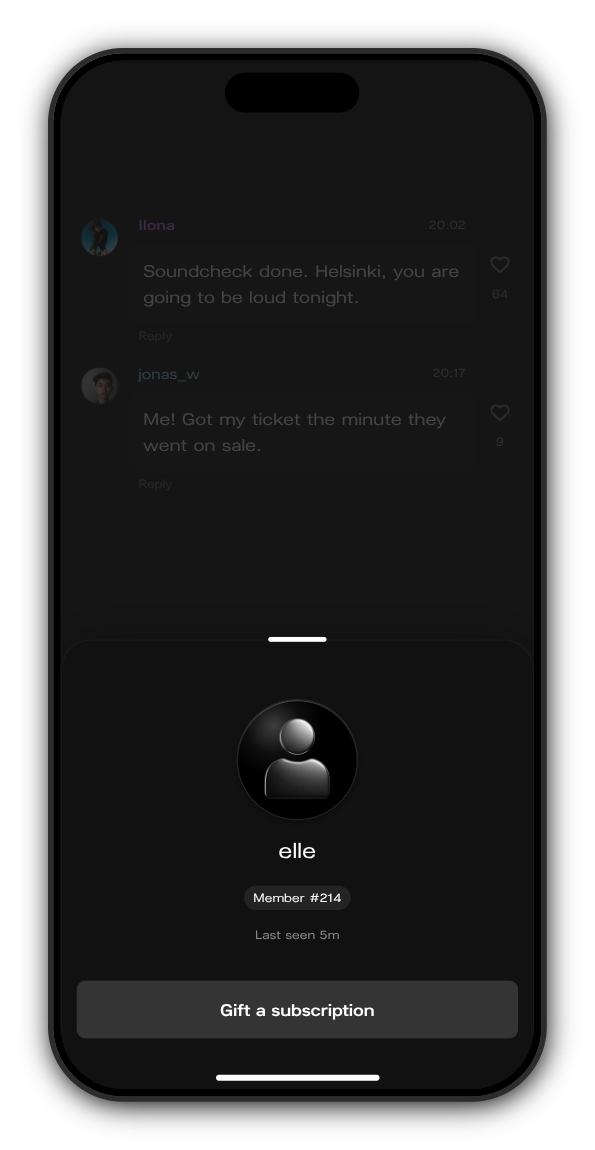
3. Choose how long
Pick 1 month, 6 months, 12 months or Lifetime. The price is 4,99 € for each month you give, VAT included, and Lifetime costs the same as 30 months.
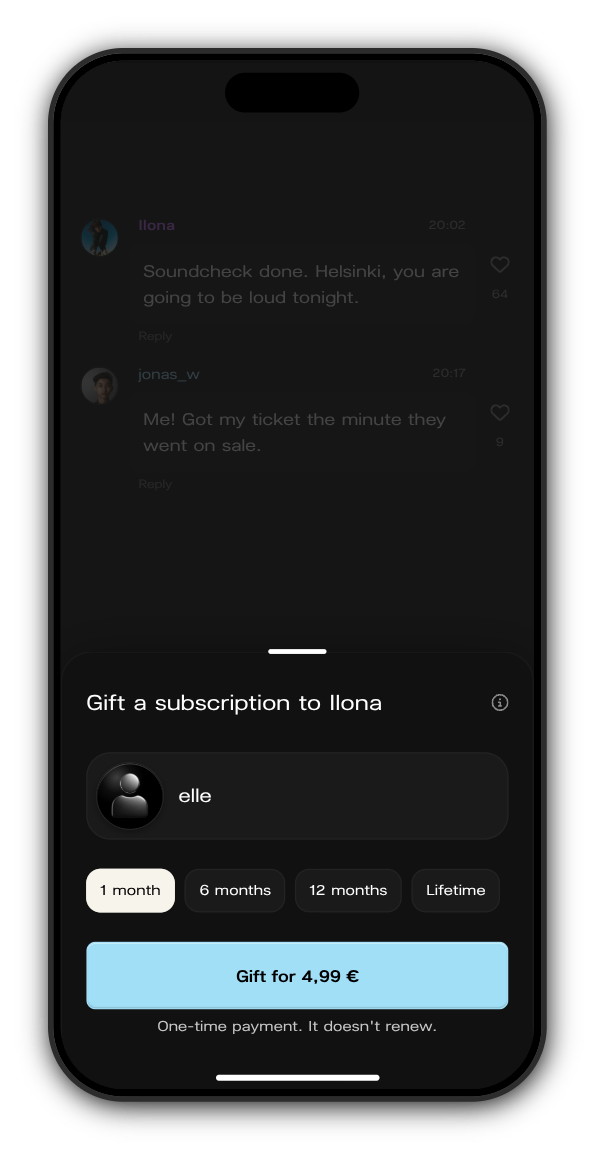
4. Pay
Tap Gift for and the amount, and pay on the secure Stripe page that opens. It's a one-time payment, so there's nothing to cancel later.
What they get
They become a subscriber straight away, with everything the artist keeps for subscribers, including the Subscribers Chat. They don't need to do anything. The gift shows on their Subscriptions page as Gift, with the date it ends or lifetime.
Updated on: 23/10/2026
Thank you!