How do I join an artist?
Open the artist's Kollekt from the link they share and slide Slide to Join at the bottom of the screen. Joining is free, and you stay a member until you leave.
How to join
1. Open the artist's Kollekt
Tap the link in the artist's bio or wherever they shared it. Their Kollekt opens on Home, with Slide to Join at the bottom.
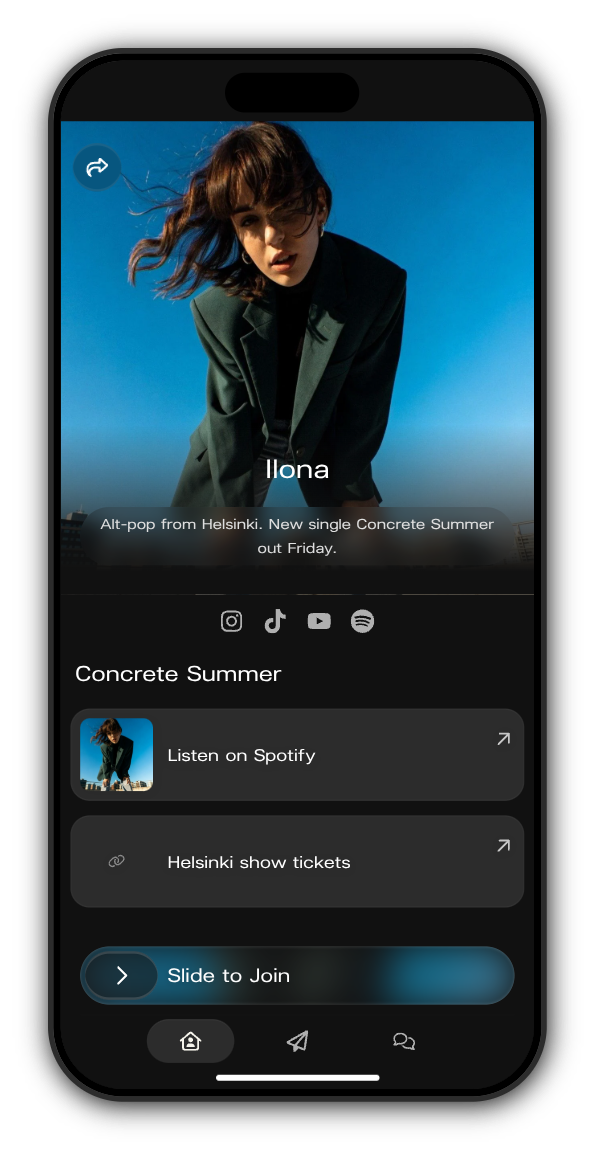
2. Slide to Join
Drag the handle all the way to the right. If you're already signed in, that's it: you're a member.
3. Not signed in? Continue with email
Enter your email, tick the box to agree that the artists you join and their teams can see your contact details and activity, and tap Continue.
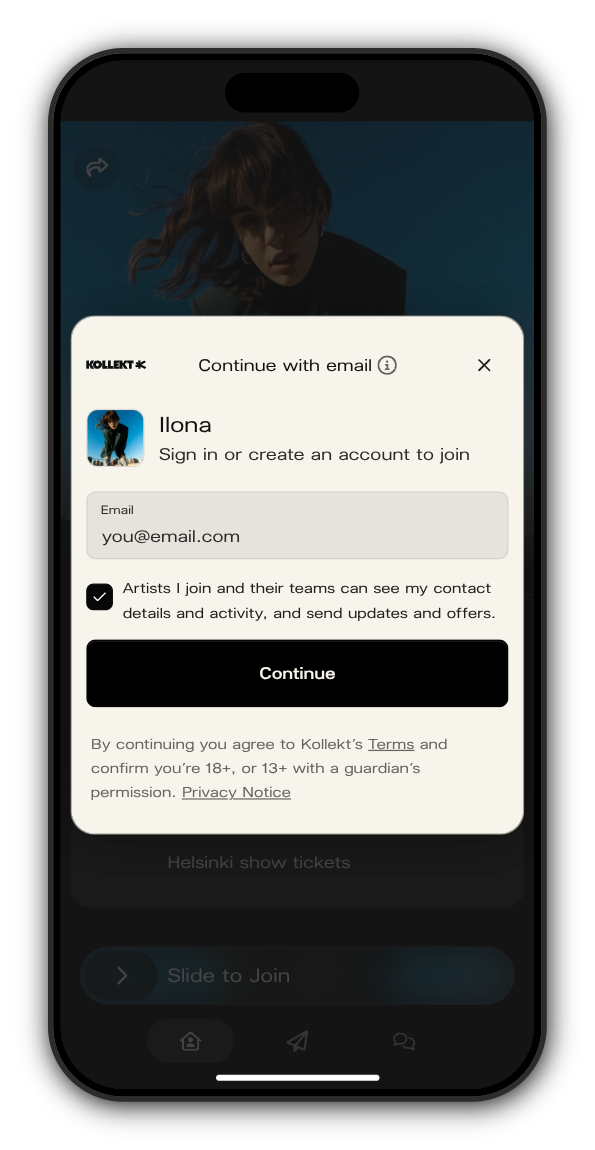
4. Open the link we email you
You'll see Check your email. Open the login link in the email and the artist's Kollekt opens with you as a member. Kollekt has no passwords: the same link works whether you're new or coming back.
If the artist isn't on Kollekt yet
Some artists' Kollekts show Not on Kollekt yet. There's no slider there. Tap Join to get notified instead and you're on the list, so you'll hear when the artist arrives.
Good to know
- You can join as many artists as you like. Each membership is separate.
- To join you must be at least 13, or older if your country requires it. If you're under 18, you need a parent or guardian's permission.
- Joining is free. Subscribing is a separate, optional step.
Related: The artist isn't on Kollekt yet. What does that mean?
Updated on: 23/10/2026
Thank you!