How do I react to and comment on a post?
Every post in a drop has reactions and comments under it. Once the drop is yours, open a post and join in.
React to a post
1. Open the post
In the drop, tap the post in the list.
2. Tap an emoji
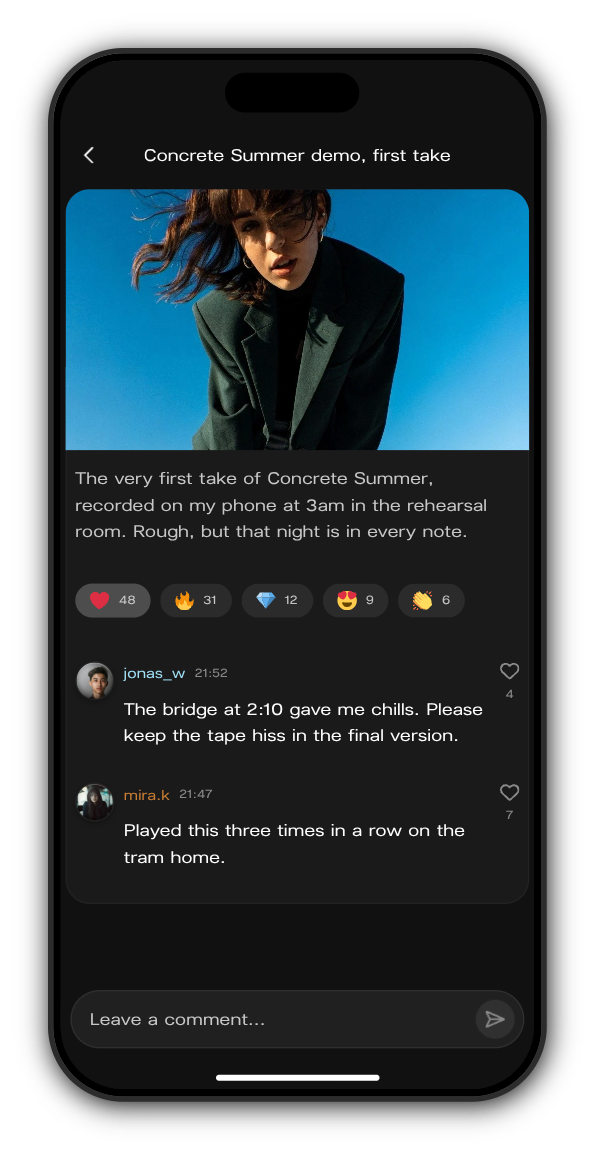
Under the post is a row of emoji reactions with their counts. Tap one to add yours: it lights up and the count goes up. Tap it again to take it back. You can add more than one.
Comment on a post
1. Write your comment
Tap Leave a comment... at the bottom of the post, write, and send. Comments are text only.
2. Answer other comments
Tap the heart beside a comment to like it. Press and hold a comment to Reply, Copy text or Report it. On a computer, point at the comment and click the three dots.
Links in posts
Some posts have a button that opens a link. A link to somewhere on Kollekt opens right there. Any other link opens in a new tab, or in the app's own browser in the Kollekt app.
Updated on: 19/10/2026
Thank you!