How do I read my stats?
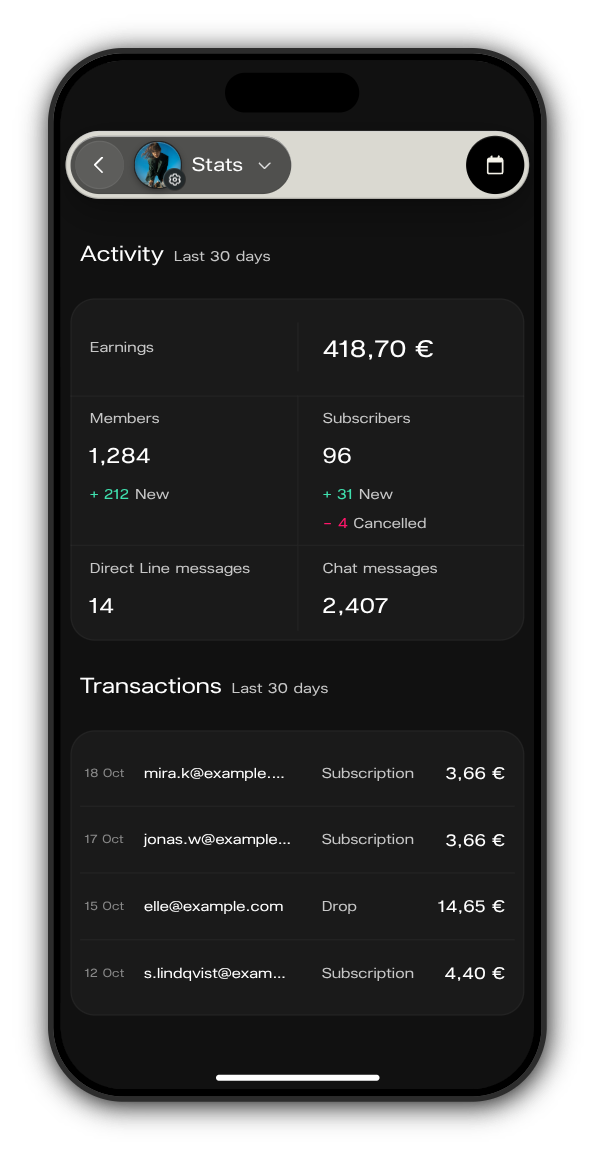
Stats show how your Kollekt is doing over a period you choose: what you earned, how many members and subscribers you have, how much people talk, and every payment.
Open your stats
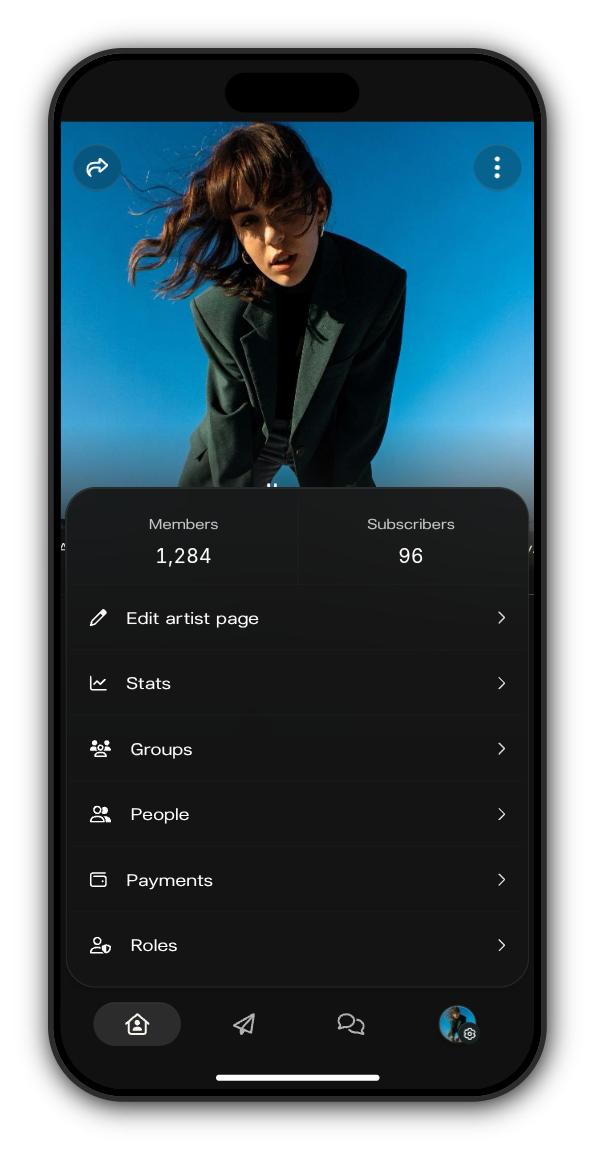
1. Open the admin menu
On your Kollekt, tap your picture with the gear in the tab bar. Your total Members and Subscribers show at the top of the menu.
2. Tap Stats
Stats open on the last 30 days.
3. Pick a period
Tap the calendar at the top right and set a Start date and an End date. Every number on the screen follows the period.
What the numbers mean
What it counts | |
|---|---|
Earnings | What members paid in the period, after VAT and payment fees |
Members | Everyone who has joined, and how many joined in the period |
Subscribers | Everyone subscribed now, with new and cancelled subscriptions in the period |
Direct Line messages | Messages on your Direct Line in the period |
Chat messages | Messages in your chats in the period |
Under Transactions you see each payment in the period: the date, the member's email, whether it was a Subscription or a Drop, and the amount.
The figures in the pictures are examples.
Updated on: 23/10/2026
Thank you!