How do I remove a message or handle a report?
You can remove any message in the artist's chats, straight from the chat or from the list of messages members have reported.
Remove a message from the chat
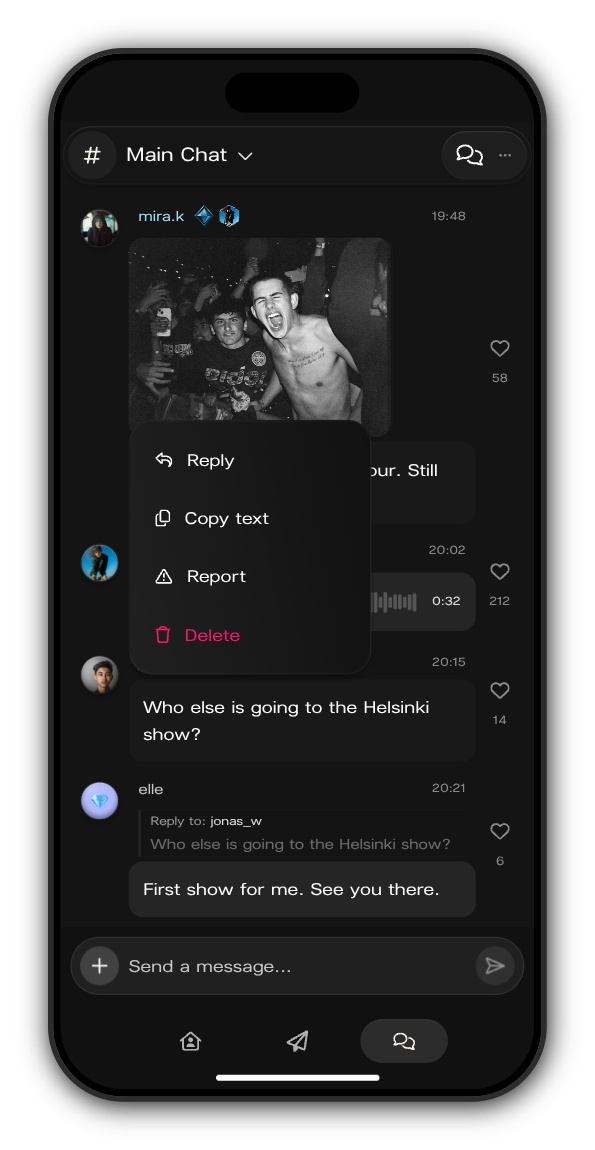
1. Hold the message
On a phone, press and hold it. With a mouse, right-click it or use the ⋯ beside it.
2. Tap Delete
As a moderator you see Delete on everyone's messages, under Reply, Copy text and Report.
3. Tap Delete message
Delete message? asks you to confirm. The message is removed for everyone in the chat.
Handle reported messages
Members report a message by holding it and tapping Report, then choosing a reason such as Spam or scam or Harassment or bullying.
1. Open Moderation
In the chat, tap the menu at the top right, then Moderation.
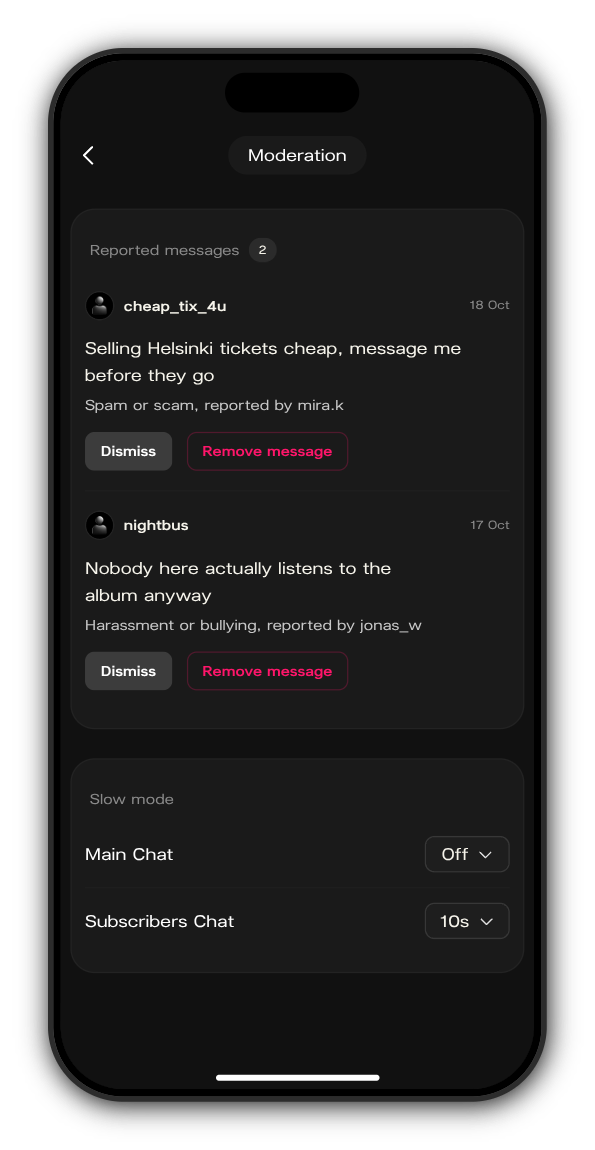
2. Check each report
Reported messages shows each one with who wrote it, when, the reason and who reported it. When there's nothing to review, it says No messages awaiting review.
3. Dismiss it or remove the message
Tap Dismiss if the message is fine; it stays in the chat. Tap Remove message and confirm to delete it for everyone.
Updated on: 22/10/2026
Thank you!