How do I report or delete a message?
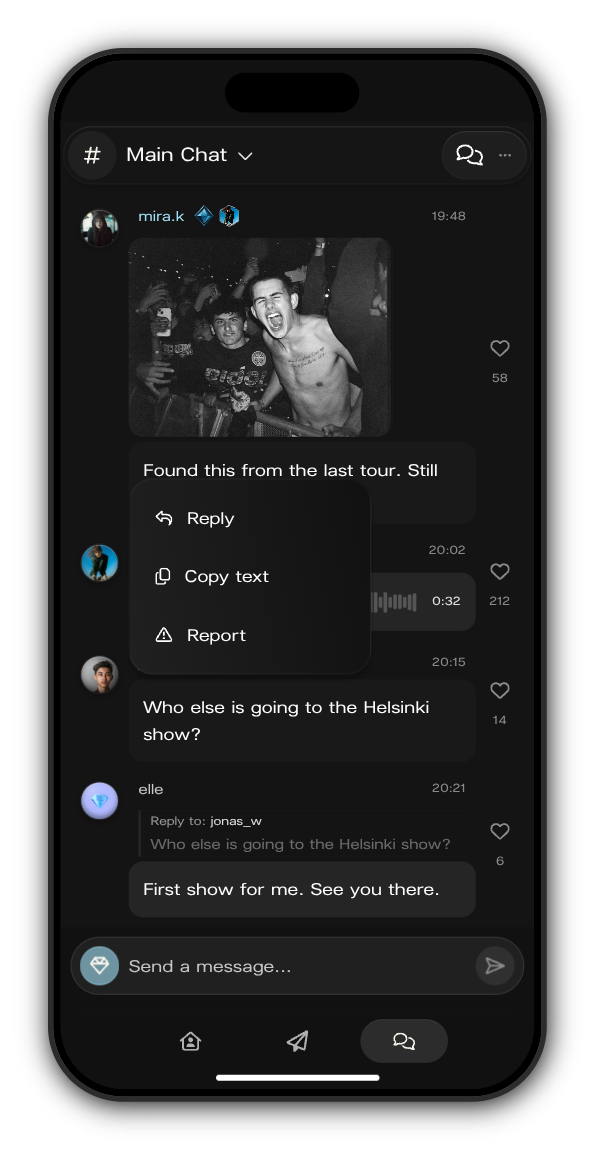
Press and hold the message to open its menu. Choose Report for someone else's message, or Delete for one of your own.
Report a message
1. Hold the message and tap Report
You can report anyone's message except your own.
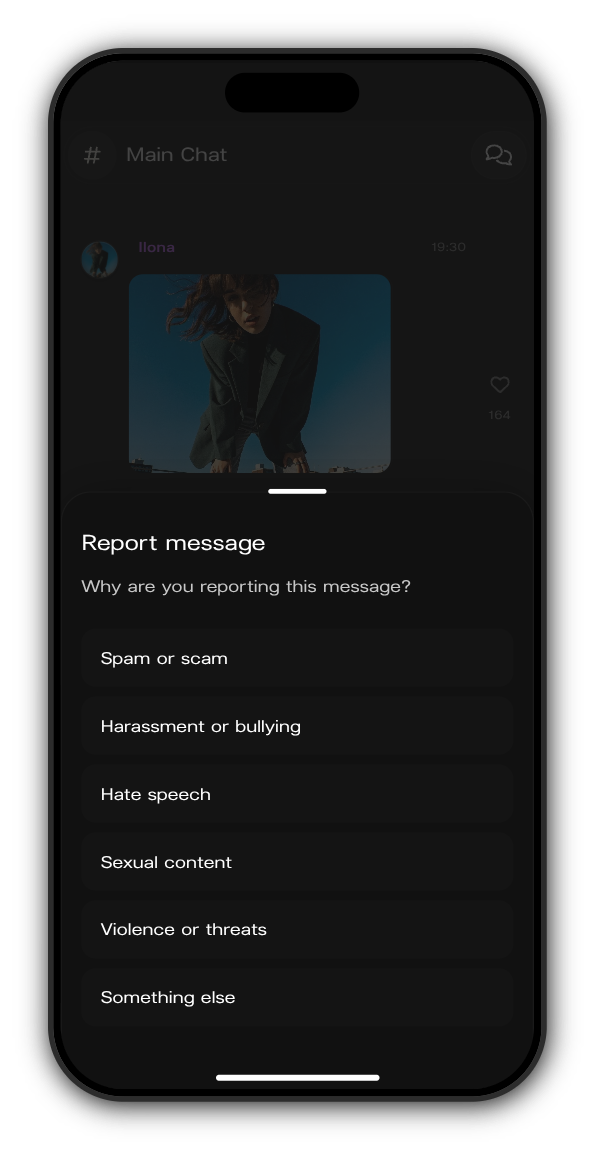
2. Choose a reason
Pick the one that fits best: Spam or scam, Harassment or bullying, Hate speech, Sexual content, Violence or threats or Something else.
3. Done
Report sent confirms it. A moderator from the artist's team reviews the message and can remove it or time the person out of the chat.
Delete your own message
1. Hold your message and tap Delete
Delete shows only on messages you sent.
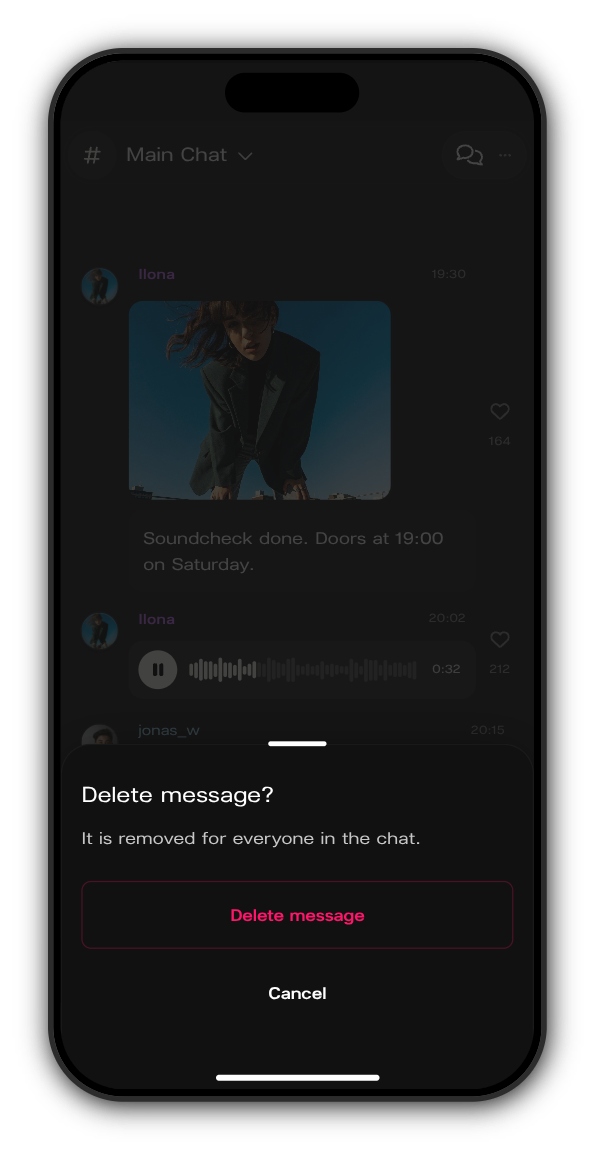
2. Tap Delete message
Delete message? asks you to confirm. Tap Delete message, or Cancel to keep it.
Related: My message was removed or I was timed out
Updated on: 23/10/2026
Thank you!