How do I schedule a post?
Posts in your drops can publish themselves later. Pick a date and time when you create the post, and it goes live then.
Schedule a post
1. Create the post
Open your Kollekt in a browser and add /admin to the end of the address (for example app.kollekt.io/ilona/admin). Tap Drops, then Create a new post. Add the content and tap Next.
2. Tick Schedule post
On Settings, pick the drop under Feed location, then tick Schedule post.
3. Pick the date and time
Under Schedule for, choose the day and the time, or move it on with + 1 day, + 3 days or + 7 days. The picker shows the time zone it uses.
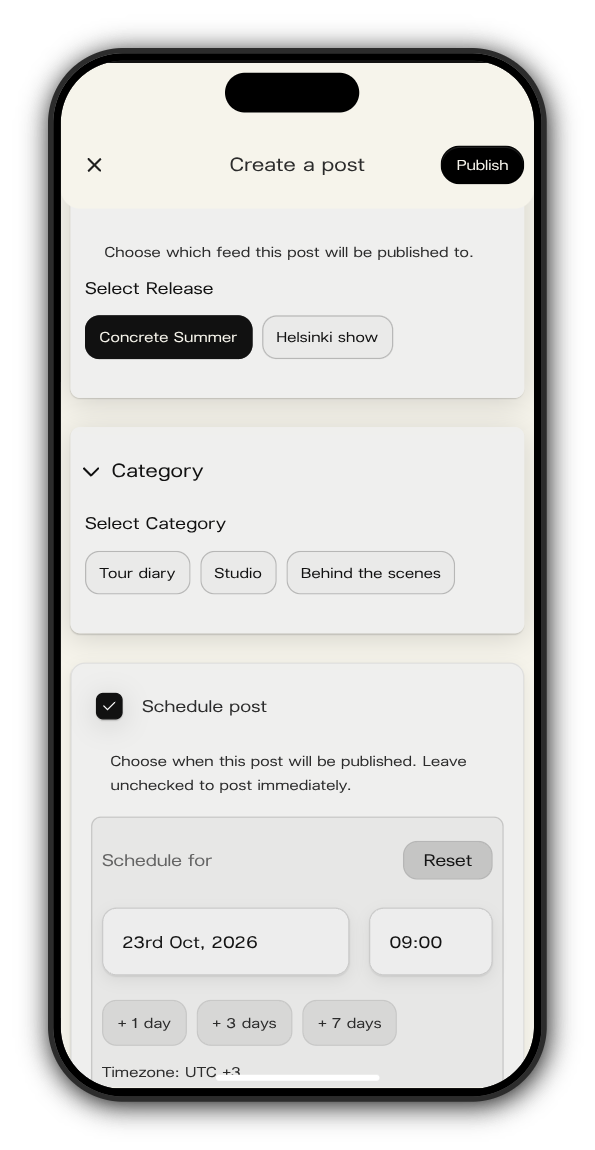
4. Tap Publish
The post waits until its time and then goes live in the drop. Leave Schedule post unticked and it goes live straight away.
See what's scheduled
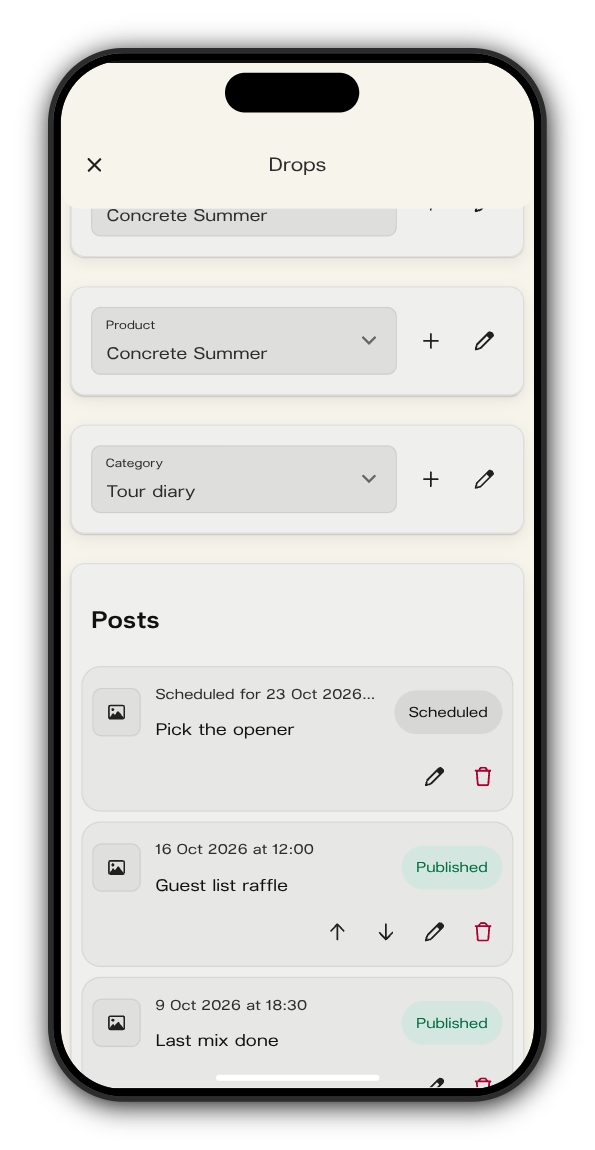
In Drops, choose the drop under Drop. Under Posts, a post that is waiting is marked Scheduled with its time, and it changes to Published once it's live.
Updated on: 19/10/2026
Thank you!