How do I time a member out?
A timeout gives a member a break from the chat. They can still read everything, but they can't send messages until it ends.
Time a member out
1. Tap their name or picture in the chat
Their profile opens. Under it is a Manage section with the Timeout tab.
2. Choose how long
Pick 1 hour, 1 day, 7 days or Permanently. Status shows Not timed out until you confirm.
3. Tap the button
It names your choice, for example Timeout for 1 day or Timeout permanently. The timeout starts straight away.
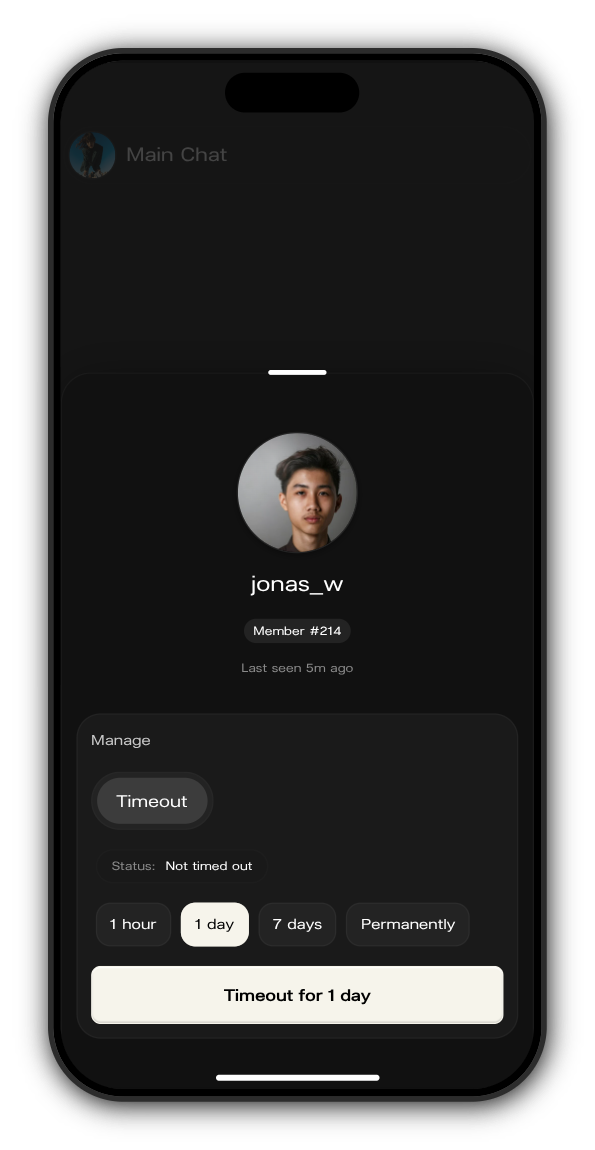
A timeout covers every chat in the artist's Kollekt, not only the one you're in. While it runs, the member's message box tells them until when.
End a timeout early
Open their profile again. Status shows how much time is left, or Timed out permanently. Tap Remove timeout and they can write again at once.
Updated on: 22/10/2026
Thank you!