Where do I manage my Kollekt?
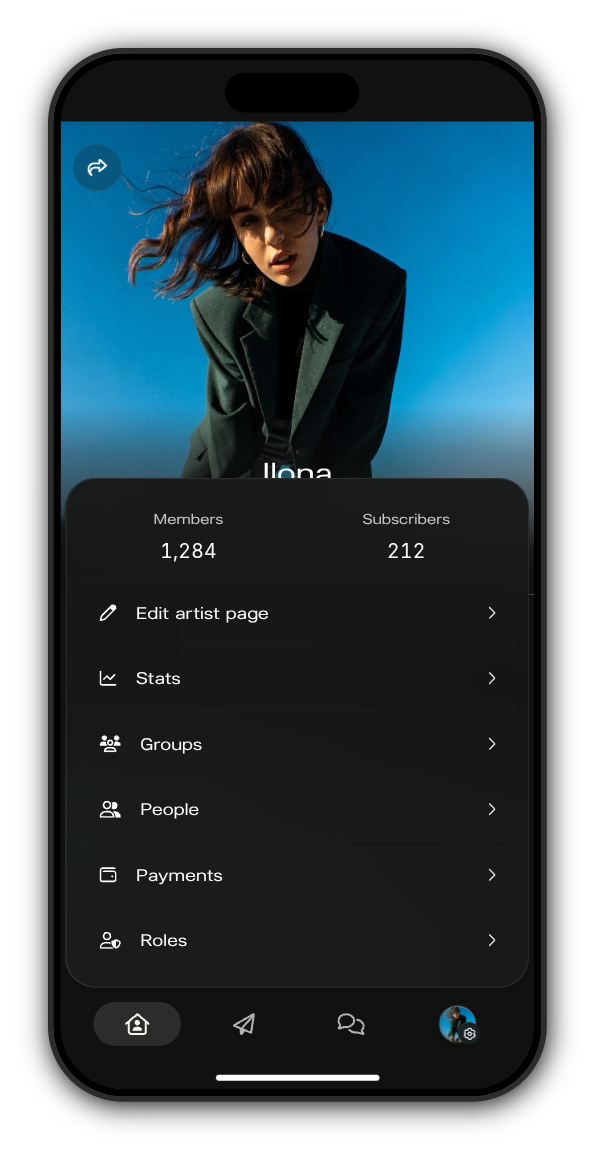
You run your Kollekt from inside it. Open your Kollekt and look at the end of the tab bar: your picture with a small gear is your admin menu.
The admin menu
Tap your picture in the tab bar. The top of the menu shows how many members and subscribers you have, and below it:
- Edit artist page: your name, bio, cover, socials and links.
- Stats: your members, activity and what you earn.
- Groups: groups of members by country and join date, to send posts to.
- People: your member list, which you can export.
- Payments: how your earnings are split. Only the owner manages it; admins see a note that the owner handles payments.
- Roles: who is on your team.
The Admin page
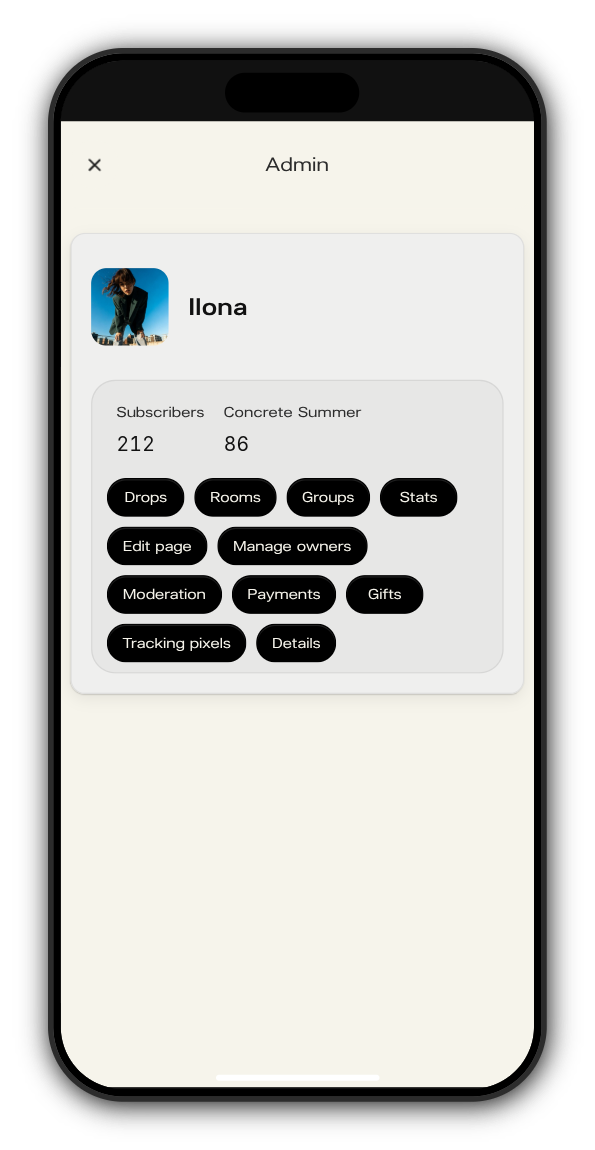
To see every admin place at once, add /admin to your Kollekt's link, for example app.kollekt.io/ilona/admin. At the top it shows how many people have each of your products, starting with your subscribers. The buttons below take you to:
- Drops: your drops and their products.
- Rooms: your chats.
- Groups, Stats and Edit page: the same places as in the menu.
- Manage owners: your team of admins and moderators.
- Moderation: messages members have reported, slow mode for each chat, and a log of moderation actions.
- Payments: earnings and revenue splits, for the owner.
- Gifts: free months you give to members.
- Tracking pixels: your Meta Pixel, Google Ads and TikTok Pixel IDs.
- Details: your official Instagram handle, Spotify artist ID and owner email.
Tap the cross at the top left to go back to your Kollekt.
Who can do what
Owner | Admin | Moderator | |
|---|---|---|---|
Edit your Kollekt, post, run drops, chats, groups and gifts | ✓ | ✓ | |
See stats and the member list | ✓ | ✓ | |
Remove messages and time members out | ✓ | ✓ | ✓ |
Manage payments and revenue splits | ✓ | ||
Add and remove admins and moderators | ✓ | ✓ |
Anyone in the earnings split sets up payouts for their own bank account in their own profile.
Related: What's on my Details page? · I manage more than one artist
Updated on: 23/10/2026
Thank you!