What can a moderator do?
A moderator keeps an artist's chats a good place to be. You do it all from inside the chat: no separate tools, no extra app.
What you can do
- Remove messages: any message in the chats, including ones members report. See How do I remove a message or handle a report?
- Time a member out: for 1 hour, 1 day, 7 days or permanently. They can still read, but can't send messages. See How do I time a member out?
- Handle reports: see what members have reported, then dismiss the report or remove the message.
- Use slow mode: set how often members can send a message in each chat. See How do I use slow mode?
- Talk to the rest of the team: you have a Moderators chat with the other moderators and the admins.
Moderating is the whole role. Posts, drops, stats and the member list stay with the artist and their admins.
Where to find your tools
Tap a member's name or picture
Their profile opens with a Manage section. That's where you time someone out.
Hold a message
The menu has Delete on every message, not only your own. With a mouse, right-click the message or use the ⋯ beside it.
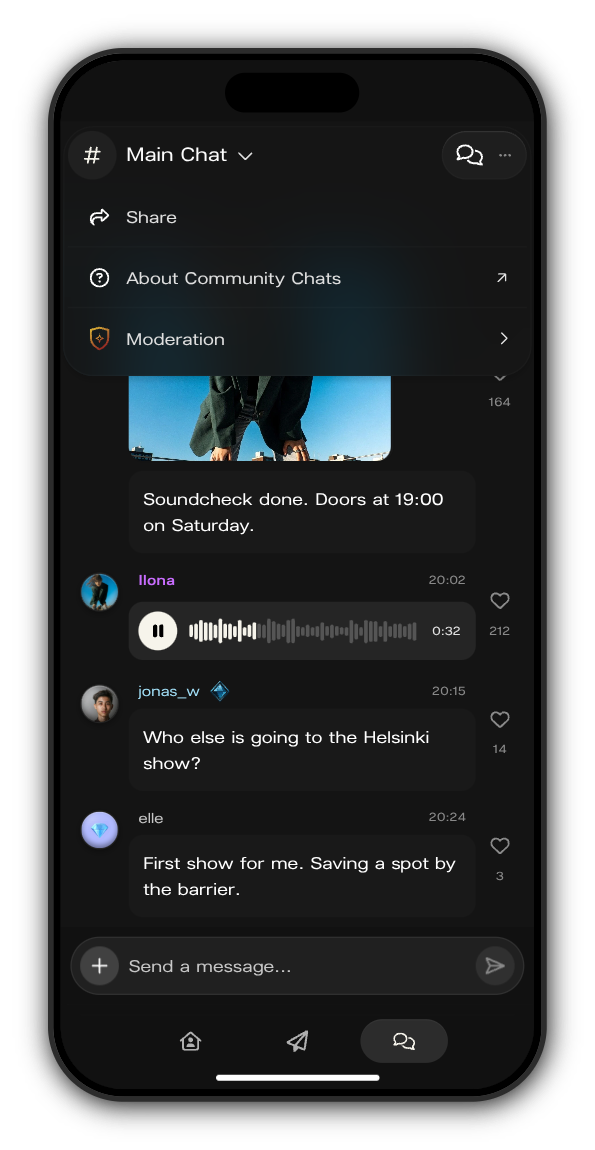
Tap the menu at the top right of the chat
Only the artist's team sees Moderation there. It opens the reported messages and slow mode.
Updated on: 23/10/2026
Thank you!